1. پیژندنه
The OREI BK-4927 is an advanced 8K 4-Port HDMI Audio Extractor Switch designed to simplify your audio and video setup. This device allows you to connect up to four HDMI sources to a single 8K or 4K display while simultaneously extracting audio for external sound systems. It supports the latest HDMI 2.1 and HDCP 2.3 standards, ensuring compatibility with modern media devices and high-resolution content.
د بسته محتويات:
- 1x OREI BK-4927 HDMI Audio Extractor Switch
- 1x 100–240V Power Adapter (worldwide voltage support)
- 1x ریموټ کنټرول
- 1x د کارونکي لارښود

Image: OREI BK-4927 HDMI Switch and its included accessories.
2. تنظیم او پیوستون
Follow these steps to correctly set up your OREI BK-4927 HDMI Audio Extractor Switch.
2.1 Connecting Input Sources:
- Connect up to four HDMI source devices (e.g., gaming consoles, Blu-ray players, streaming devices) to the IN 1, IN 2, IN 3, او په 4 کې HDMI input ports on the rear of the BK-4927 using high-quality HDMI 2.1 cables.
2.2 Connecting Output Display:
- Connect your 8K or 4K display (TV, monitor, projector) to the OUT 1 (eARC) HDMI output port on the rear of the BK-4927. This port supports eARC for audio return.
2.3 Connecting Audio Output:
The BK-4927 offers multiple audio output options:
- HDMI Audio Only (OUT 2): Connect this port to an AV receiver for full-bandwidth audio formats (Dolby Atmos, Dolby TrueHD, DTS-HD Master Audio, LPCM 7.1/5.1/2.0).
- نظري: Connect to older AV receivers or soundbars using an optical cable for up to 5.1Ch audio.
- L/R (3.5mm): Connect to 2.0 speakers or stereo systems using a 3.5mm audio cable for 2Ch analog audio.
2.4 د بریښنا پیوستون:
- Connect the included 5V DC power adapter to the DC 5V port on the rear of the BK-4927, then plug the adapter into a standard wall outlet. The power indicator LED on the front panel will light up.

Image: Connection diagram illustrating how to connect media sources, display, and audio systems to the BK-4927.

Image: The BK-4927 switch connected to various media sources and a display, highlighting its plug-and-play functionality.
Video: An official OREI video demonstrating how to use the 4x1 HDMI Audio Extractor, including setup and functionality.
3. عملیاتي لارښوونې
The OREI BK-4927 offers flexible control options for switching inputs and managing audio.
3.1 Input Switching:
- د مخکینۍ پینل تڼۍ: فشار ورکړئ سویچ button on the front panel to cycle through the HDMI input sources (IN 1, IN 2, IN 3, IN 4). The corresponding input LED will illuminate.
- ریموټ کنټرول: Use the numbered buttons (۳، ۵، ۶، ۸) on the remote control to directly select an HDMI input.
- اتومات بدلول: To enable automatic input switching, press and hold the سویچ button on the front panel for more than 3 seconds. The آټو LED will light up. In this mode, the switch will automatically detect and switch to the most recently active input source.
3.2 Audio Mode Selection:
The BK-4927 allows you to select different audio profiles for the extracted audio outputs:
- فشار ورکړئ آډیو button on the front panel or remote control to cycle through the available audio modes: 2.0, 5.1, 7.1, او پاس. The corresponding LED will indicate the active audio profile.
- ۱۲: سټیریو آډیو تولید.
- ۱۲: 5.1 channel audio output.
- ۱۲: 7.1 channel audio output.
- پاس: Passes through the original audio format without modification.
3.3 eARC Functionality:
- فشار ورکړئ eARC button on the front panel or remote control to enable or disable the eARC function. The eARC LED will light up when active. This allows audio return from your TV/display to the HDMI Audio Only output for compatible AV receivers.
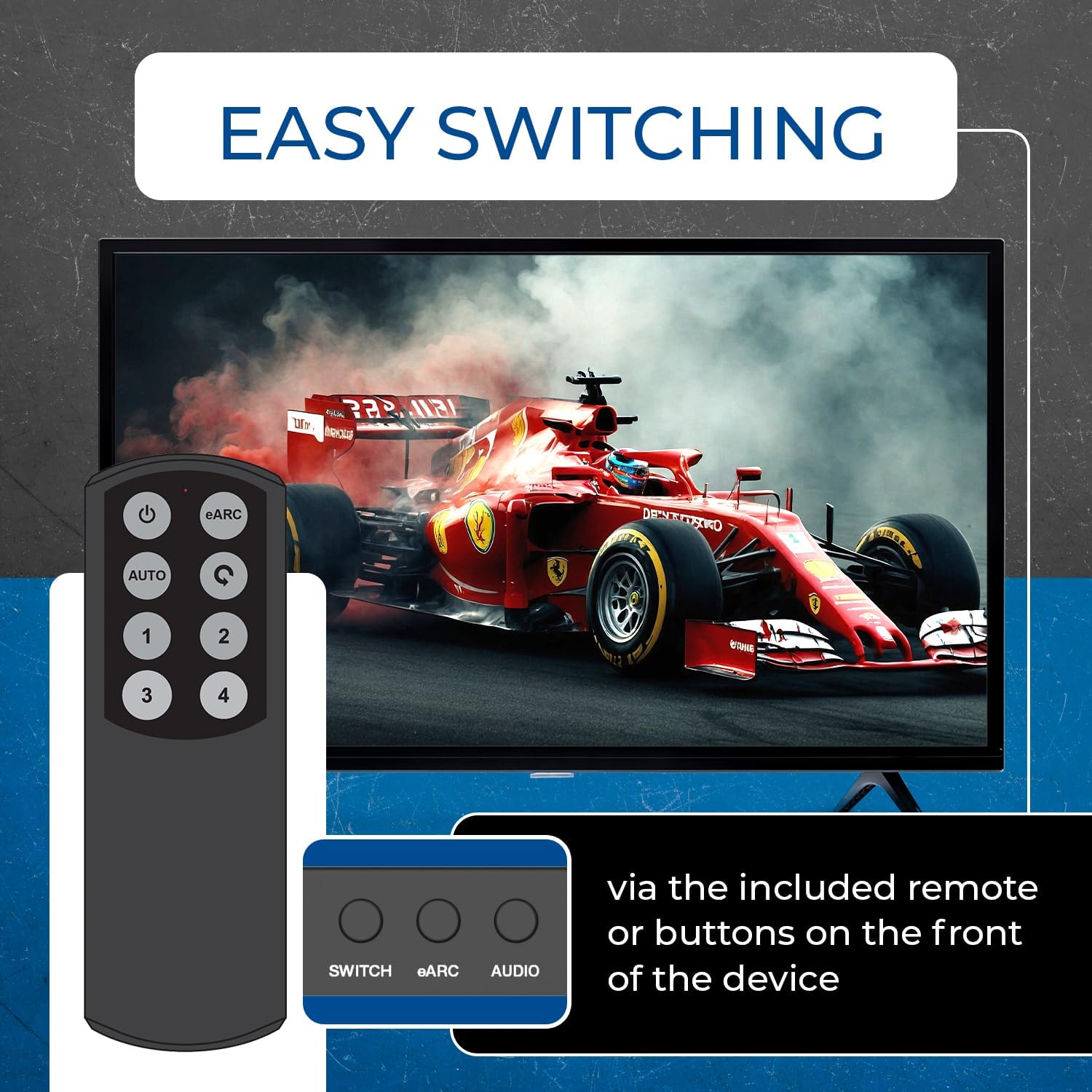
Image: The BK-4927 switch demonstrating easy input switching via remote control or front panel buttons.
۴. ځانګړتیاوې او مشخصات
4.1 کلیدي ځانګړتیاوې:
- HDMI 2.1 او HDCP 2.3 مطابقت لري
- Supports resolutions up to 8K@60Hz and 4K@120Hz
- 48Gbps FRL (Fixed Rate Link) and 18Gbps TMDS bandwidth
- Automatic and Manual Input Switching
- HDR Pass-through (HDR10+, Dolby Vision, HLG)
- Audio De-embedding for Dolby Atmos, DTS:X, DTS-HD Master Audio, Dolby TrueHD, DTS Digital Surround, Dolby Digital & LPCM 7.1/5.1/2.0
- TV eARC & HDMI Audio-Only Output
- د CEC ملاتړ
- Compact Design with durable metal enclosure
4.2 تخنیکي مشخصات:
- د محصول ابعاد: ۴.۶ x ۲.۵ x ۱.۵ انچه (۱۱۵ ملي متره L x ۶۳ ملي متره W x ۴۰ ملي متره H)
- د توکي وزن: 12 ounces (430g / 15.16oz)
- مواد: فلزي
- رنګ: تور
- د نښلونکي ډول: HDMI
- مطابقت لرونکي وسایل: AV Receiver, Blu-Ray Player, Gaming Console (PlayStation 5, Xbox), Streaming Devices (Apple TV, Fire TV), PC, Projectors.

Image: Detailed list of features supported by the BK-4927 HDMI Switch.

Image: Technical specifications of the OREI BK-4927 HDMI Switch.

Image: The BK-4927 switch demonstrating wide compatibility with various media devices.
5. ساتنه
- وسیله په یخ، وچ او ښه هوا لرونکي ځای کې وساتئ.
- وسیله د مستقیم لمر وړانګو، لوړې تودوخې، یا رطوبت سره مخ کیدو څخه ډډه وکړئ.
- وسیله د نرم او وچ ټوکر سره پاکه کړئ. د مایع یا ایروسول پاکوونکو څخه کار مه اخلئ.
- ډاډ ترلاسه کړئ چې ټول کیبلونه په خوندي ډول وصل دي ترڅو د سیګنال له لاسه ورکولو مخه ونیسي.
6. ستونزه حل کول
- ویډیو/آډیو نشته: Check all HDMI and audio cable connections. Ensure the power adapter is securely plugged in and the device is powered on. Verify the correct input source is selected on the switch and the correct input is selected on your display/receiver.
- د انځور کمزوری کیفیت: Ensure you are using high-quality HDMI 2.1 cables, especially for 8K/4K@120Hz content. Check the resolution settings of your source device and display.
- د غږیز مسلې: Verify the selected audio mode (2.0, 5.1, 7.1, PASS) on the switch matches your audio system's capabilities. Ensure eARC is enabled if using an eARC-compatible receiver. Note that the optical output is limited to 5.1Ch and analog to 2Ch.
- ریموټ کنټرول کار نه کوي: Ensure there are no obstructions between the remote and the switch's IR receiver window. Check and replace the remote control batteries if necessary.
7. تضمین او ملاتړ
The OREI BK-4927 HDMI Audio Extractor Switch is backed by OREI’s full ۱-کلن تضمین for peace of mind. OREI also offers د ټول عمر تخنیکي ملاتړ for its products. For any technical assistance or warranty claims, please contact OREI customer support.
Video: An official OREI product overview video for the 8K 4-Port HDMI Audio Extractor Switch.


