پیژندنه
This manual provides essential information for the proper setup, operation, and maintenance of your Blaupunkt Smart TV 24HCG4000S. Please read these instructions carefully before using your television and retain them for future reference. This 24-inch HD Ready LED TV features Google TV, Wi-Fi, Bluetooth 5.0, multiple HDMI and USB ports, and integrated Chromecast, offering a comprehensive entertainment experience.
په بکس کې څه دي
بکس په احتیاط سره خلاص کړئ او ډاډ ترلاسه کړئ چې لاندې ټول توکي شتون لري:
- Blaupunkt Smart TV 24HCG4000S
- ریموټ کنټرول
- د بریښنا کیبل
- ولاړ (۲ ټوټې)
- د کارونکي لارښود (دا لاسوند)
Note: A 12V adapter for vehicle compatibility is not included and must be purchased separately.
محصول پای ته ورسیدview
The Blaupunkt 24HCG4000S Smart TV is designed for versatile use, offering clear visuals and smart functionalities in a compact form factor.
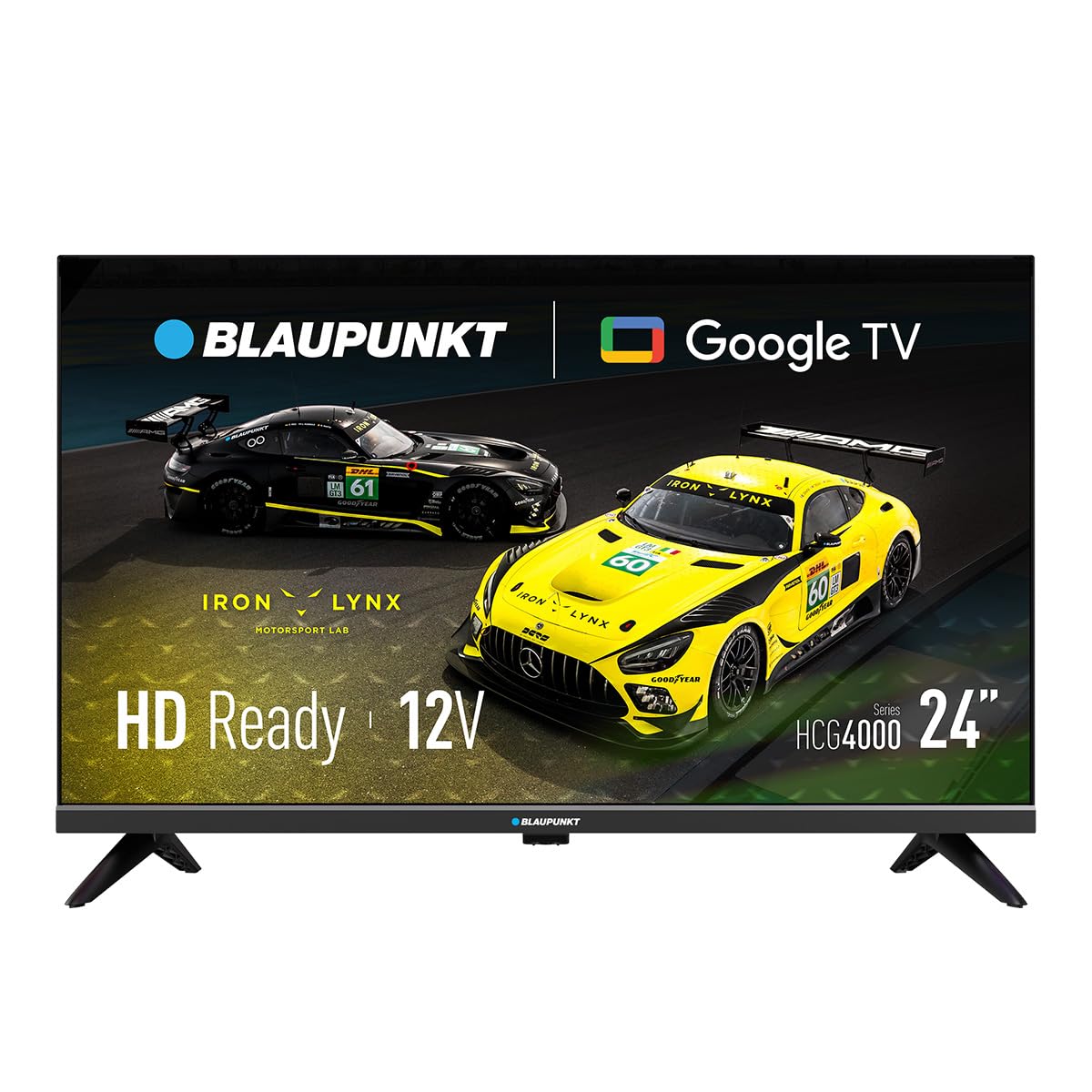
شکل 1: مخکی view of the Blaupunkt 24HCG4000S Smart TV.
کلیدي ځانګړتیاوې عبارت دي له:
- ښکاره کول: 24-inch HD Ready LED screen (1366 x 768 pixels) with vivid colors and a 178° viewزاویه.
- سمارټ ځانګړتیاوې: Integrated Google TV platform providing access to popular streaming services like Netflix, YouTube, Disney+, Prime Video, and thousands of other applications.
- آډیو: Dolby Audio with 12W output for enhanced sound quality.
- د غږ کنټرول: Google Assistant for convenient voice commands.
- اچول: Built-in Chromecast for easy content sharing from mobile devices.
- ارتباط: Advanced options including WiFi 2T2R, Bluetooth 5.0, 3 HDMI ports, 2 USB ports, RJ45 Ethernet, CI+ slot, and a headphone output.
- ډیزاین: Compact and lightweight (2.25 kg) with VESA 200x200 mm support for wall mounting.
- د بریښنا موثریت: Low power consumption of 17W.

شکل 2: شاته view of the TV, highlighting the port layout.

شکل 3: اړخ view of the TV, showing accessible ports.
چمتو کول
۱. د سټینډ نښلول
- د تلویزیون سکرین په نرم او فلیټ سطح کې کیږدئ ترڅو د زیان مخه ونیول شي.
- د سټینډ ټوټې د تلویزیون په ښکته برخه کې د اړوندو سلاټونو سره سم کړئ.
- Secure the stand pieces using the provided screws. Do not overtighten.
2. د نښلولو بریښنا
Connect the power cable to the TV's power input and then to a wall outlet. The TV is compatible with 12V power sources, but a specific 12V adapter is required and sold separately.
3. ابتدايي ترتیب
Upon first power-on, the TV will guide you through the initial setup process, including language selection, network connection (Wi-Fi or Ethernet), and Google TV account setup. Follow the on-screen instructions.
د تلویزیون چلول
پاور آن/بند
فشار ورکړئ ځواک د ریموټ کنټرول یا تلویزیون تڼۍ د واحد د فعالولو یا بندولو لپاره.
د داخلولو انتخاب
د کارولو داخلول button on the remote to cycle through available input sources (HDMI 1, HDMI 2, HDMI 3, USB, AV, etc.).
د ګوګل تلویزیون انٹرفیس
Navigate the Google TV interface using the remote control's directional pad and OK button. Access apps, settings, and content recommendations from the home screen.
د غږ معاون
فشار ورکړئ د ګوګل مرستیال button on your remote control and speak into the microphone to search for content, control smart home devices, or get information.
ارتباط
Your Blaupunkt Smart TV offers a range of connectivity options:
- Wi-Fi (2T2R): د انټرنیټ لاسرسي او سمارټ ځانګړتیاو لپاره د خپل کور بېسیم شبکې سره وصل شئ.
- بلوتوث 5.0: Pair with compatible Bluetooth devices such as headphones, soundbars, or game controllers.
- HDMI (x3): Connect external devices like gaming consoles, Blu-ray players, or set-top boxes. One HDMI port supports ARC (Audio Return Channel).
- USB (x2): میډیا پلی کړئ files from USB storage devices or power compatible accessories.
- RJ45 (ایترنیټ): د یو باثباته تار لرونکي انټرنیټ اتصال لپاره.
- CI+ سلاټ: For conditional access modules (CAM) to decrypt encrypted digital TV channels.
- د هیډفون محصول: د شخصي اوریدلو لپاره هیډفونونه وصل کړئ.
- S/PDIF (Optical Audio Output): د بهرني آډیو سیسټمونو سره د نښلولو لپاره.
ویډیو ۱: پایview of a 24-inch television, demonstrating its features and connectivity options. This video provides a visual guide to the product's design and functionality.
ساتنه
د سکرین پاکول
په نرمۍ سره سکرین د نرم، لینټ نه پاک ټوکر سره پاک کړئ. د سختو نښو لپاره، یو څه لږampټوکر د اوبو یا ځانګړي سکرین پاکونکي سره ومینځئ. هیڅکله مایع مستقیم په سکرین مه سپری کوئ.
د کابینې پاکول
د تلویزیون کابینه په نرم او وچ ټوکر سره پاک کړئ. د کثافاتو پاکوونکو یا محلولونو کارولو څخه ډډه وکړئ.
وینټیلیشن
د تلویزیون شاوخوا مناسب هوا ورکول ډاډمن کړئ. د تلویزیون په شا یا اړخونو کې د هوا د جریان دروازې مه بندوئ. د هوا د جریان لپاره کافي ځای ورکړئ.
د ستونزو حل کول
که تاسو په خپل تلویزیون کې ستونزې سره مخ شئ، لاندې عام حلونو ته مراجعه وکړئ:
- ځواک نشته: وګورئ چې د بریښنا کیبل په خوندي ډول د تلویزیون او دیوال ساکټ دواړو سره وصل دی. ډاډ ترلاسه کړئ چې ساکټ کار کوي.
- انځور/غږ نشته: ډاډ ترلاسه کړئ چې سمه د ننوتلو سرچینه غوره شوې ده. د کیبل ټولې اړیکې (HDMI، AV، او نور) د نرموالي لپاره وګورئ.
- ریموټ کنټرول کار نه کوي: په ریموټ کنټرول کې بیټرۍ بدل کړئ. ډاډ ترلاسه کړئ چې د ریموټ او د تلویزیون د IR سینسر ترمنځ هیڅ خنډ شتون نلري.
- د وای فای اتصال مسلې: Restart your router and the TV. Check your Wi-Fi password. Ensure the TV is within range of your Wi-Fi network.
- Smart App Problems: Try restarting the app or clearing its cache in the TV settings. Ensure your TV's software is up to date.
If the problem persists, consult the Blaupunkt support webسایټ یا د پیرودونکي خدمت سره اړیکه ونیسئ.
مشخصات
| فیچر | مشخصات |
|---|---|
| برانډ | Blaupunkt |
| د ماډل نوم | د 24HCG4000S معرفي کول |
| د ښودلو اندازه | ۷۸۷ انچه |
| ټیکنالوژي ښکاره کول | LED |
| قرارداد | HD چمتو (1366 x 768 پکسلز) |
| د تازه کولو نرخ | 60 Hz |
| عملیاتي سیسټم | ګوګل تلویزیون |
| د آډیو تولید | 12W (Dolby Audio) |
| ارتباط | WiFi 2T2R, Bluetooth 5.0, 3x HDMI, 2x USB, RJ45, CI+ |
| ځانګړي ځانګړتیاوې | Built-in Speaker, Chromecast, Parental Control, Game Mode |
| د نصب کولو مطابقت | VESA 200x200 mm |
| د محصول ابعاد | 15.6 x 53.6 x 36 سانتي متره |
| د محصول وزن | 2.25 کیلو ګرامه |
| د بریښنا مصرف | 17W |
| 12V Compatibility | Yes (adapter not included) |
تضمین او ملاتړ
Your Blaupunkt Smart TV 24HCG4000S comes with a standard manufacturer's warranty. Please refer to the warranty card included in your product packaging for specific terms and conditions, including the warranty period and coverage details.
For technical support, troubleshooting assistance, or warranty claims, please visit the official Blaupunkt support webسایټ یا د دوی د پیرودونکو خدماتو څانګې سره اړیکه ونیسئ. د اړیکو معلومات معمولا د تولید کونکي په ویب پاڼه کې موندل کیدی شي webسایټ یا د محصول اسنادو کې.
Always ensure you have your product model number (24HCG4000S) and serial number ready when contacting support.