پیژندنه
This manual provides detailed instructions for the setup, operation, maintenance, and troubleshooting of your GMKtec Mini PC M2Pro S. This compact desktop computer is equipped with an 11th generation Intel Core i7-1185G7 processor, 32GB DDR4 RAM, and a 512GB NVMe SSD, designed for efficient performance in various applications. Please read this manual thoroughly before using the device to ensure proper functionality and longevity.
د بسته محتويات
ډاډ ترلاسه کړئ چې لاندې ټول لیست شوي توکي ستاسو په کڅوړه کې شتون لري:
- 1 x GMKtec Nucbox Mini PC Computer
- 1 x د بریښنا اډاپټر
- ۱ x VESA ماونټ د سکرو سره
- 1 x HDMI کیبل
- ۱ x د کارونکي لارښود (دا سند)

Image: Contents of the GMKtec Mini PC M2Pro S retail box.
محصول پای ته ورسیدview
The GMKtec Mini PC M2Pro S is a high-performance, compact desktop solution. Key features include:
- پروسیسر: 11th Gen Intel Core i7-1185G7 (up to 4.8 GHz, 4 Cores, 8 Threads, 12MB Cache)
- حافظه: 32GB DDR4 SODIMM (dual-channel, expandable up to 64GB)
- ذخیره کول: 512GB M.2 2280 NVMe SSD (PCIe3.0, expandable up to 2TB), additional M.2 2242 SATA slot (expandable up to 2TB)
- ګرافیک: Intel Iris Xe Graphics G7 96EU
- د ښودلو محصول: Supports triple 4K displays via 2 x HDMI (4K@60Hz) and 1 x USB Type-C (4K@60Hz)
- شبکه: 2.5Gbps LAN (RJ45), WiFi 6 (802.11ax), Bluetooth 5.2
- بندرونه: USB 3.2, USB Type-C (40Gbps), Audio (3.5mm CTIA)
- یخ کول: Upgraded quiet cooling fan with copper vapor chamber and multiple exhaust vents
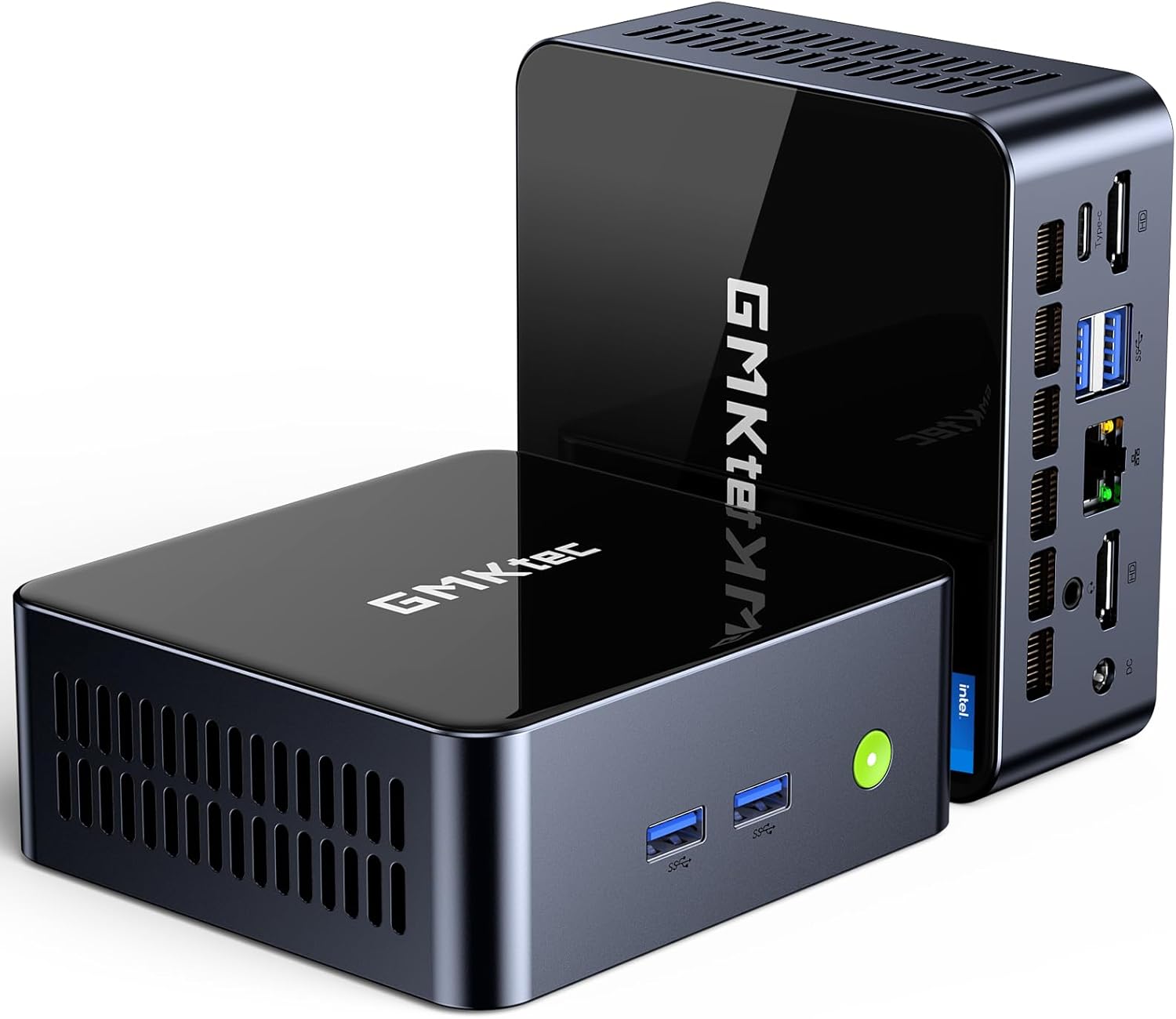
انځور: مخکینۍ برخه view of the GMKtec Mini PC M2Pro S.
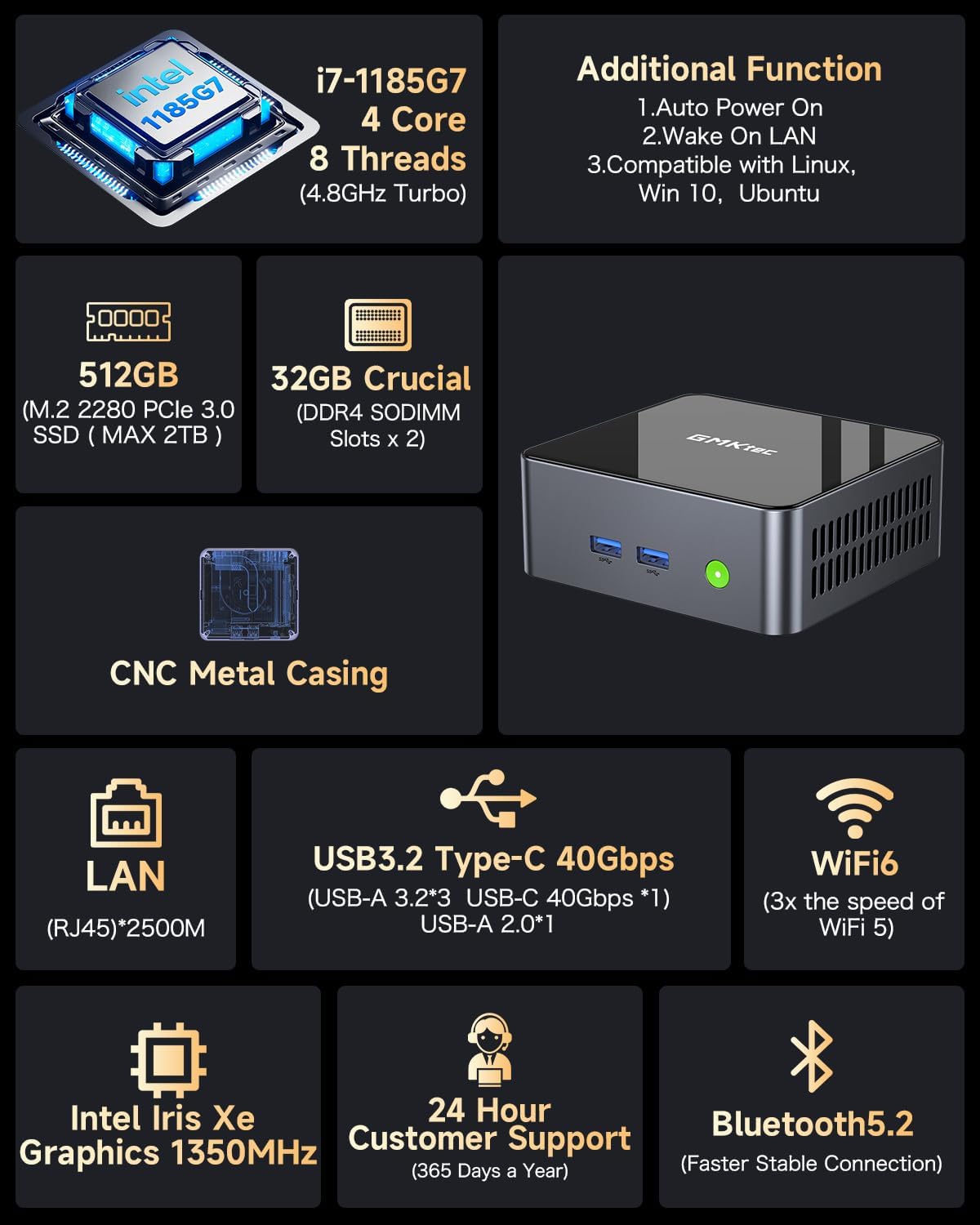
انځور: اوورview of the GMKtec Mini PC M2Pro S features and specifications.
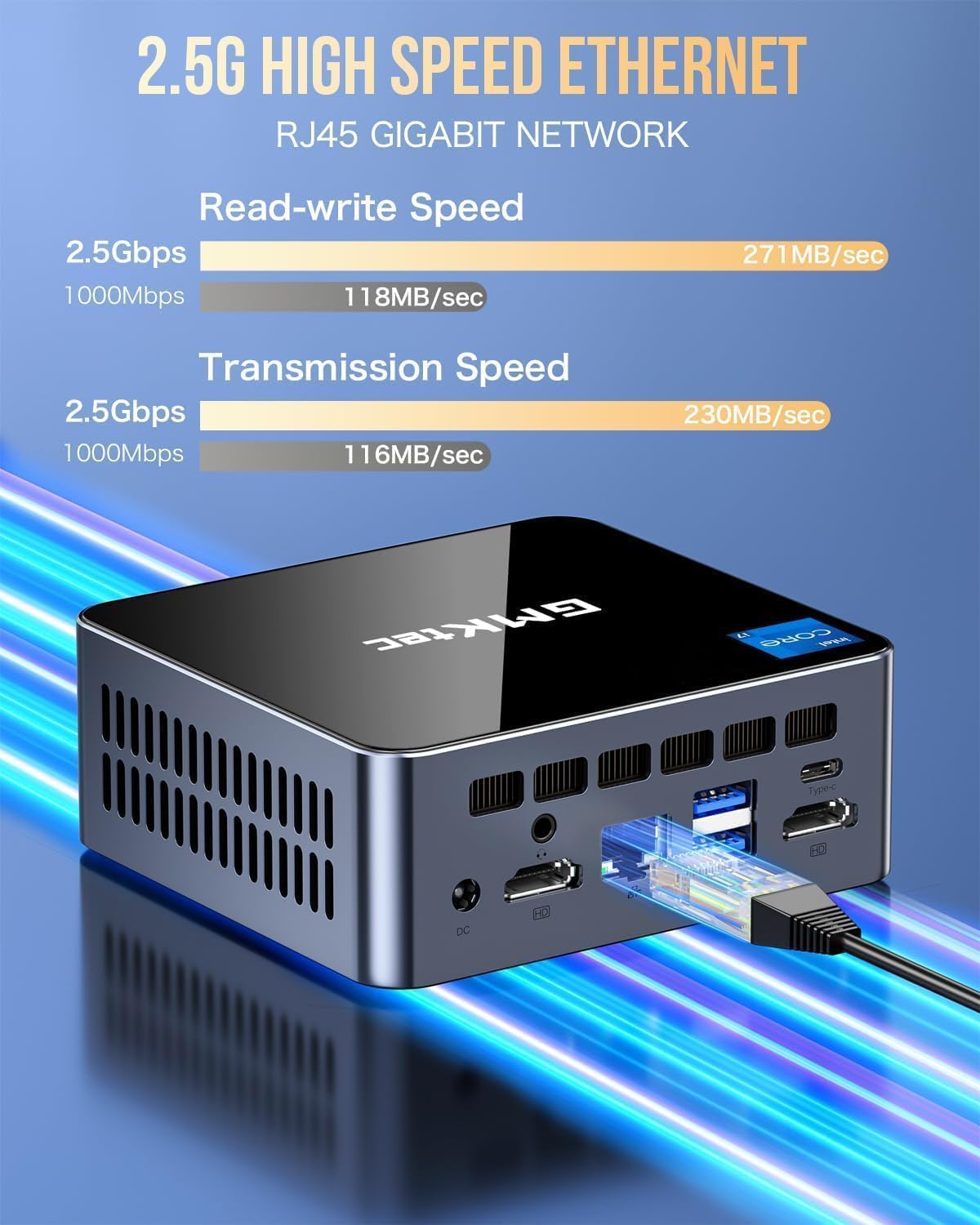
انځور: تفصیلي view of the multi-purpose ports on the GMKtec Mini PC M2Pro S.
د تنظیم کولو لارښود
- پرفیریلز وصل کړئ: Connect your monitor(s) using the HDMI or USB Type-C ports. Connect your keyboard and mouse to the available USB ports.
- د شبکې پیوستون: For a wired connection, plug an Ethernet cable into the 2.5Gbps LAN port. For wireless, the device supports WiFi 6 and Bluetooth 5.2, which can be configured after initial boot.
- د بریښنا پیوستون: Connect the provided power adapter to the DC IN port on the mini PC and then to a power outlet.
- پاور آن: Press the power button located on the front of the mini PC. The system will boot up.
- د وینډوز لومړنی تنظیم: د وینډوز 11 پرو تنظیم بشپړولو لپاره په سکرین کې لارښوونې تعقیب کړئ، پشمول د ژبې، سیمې، شبکې، او د کارونکي حساب جوړول.
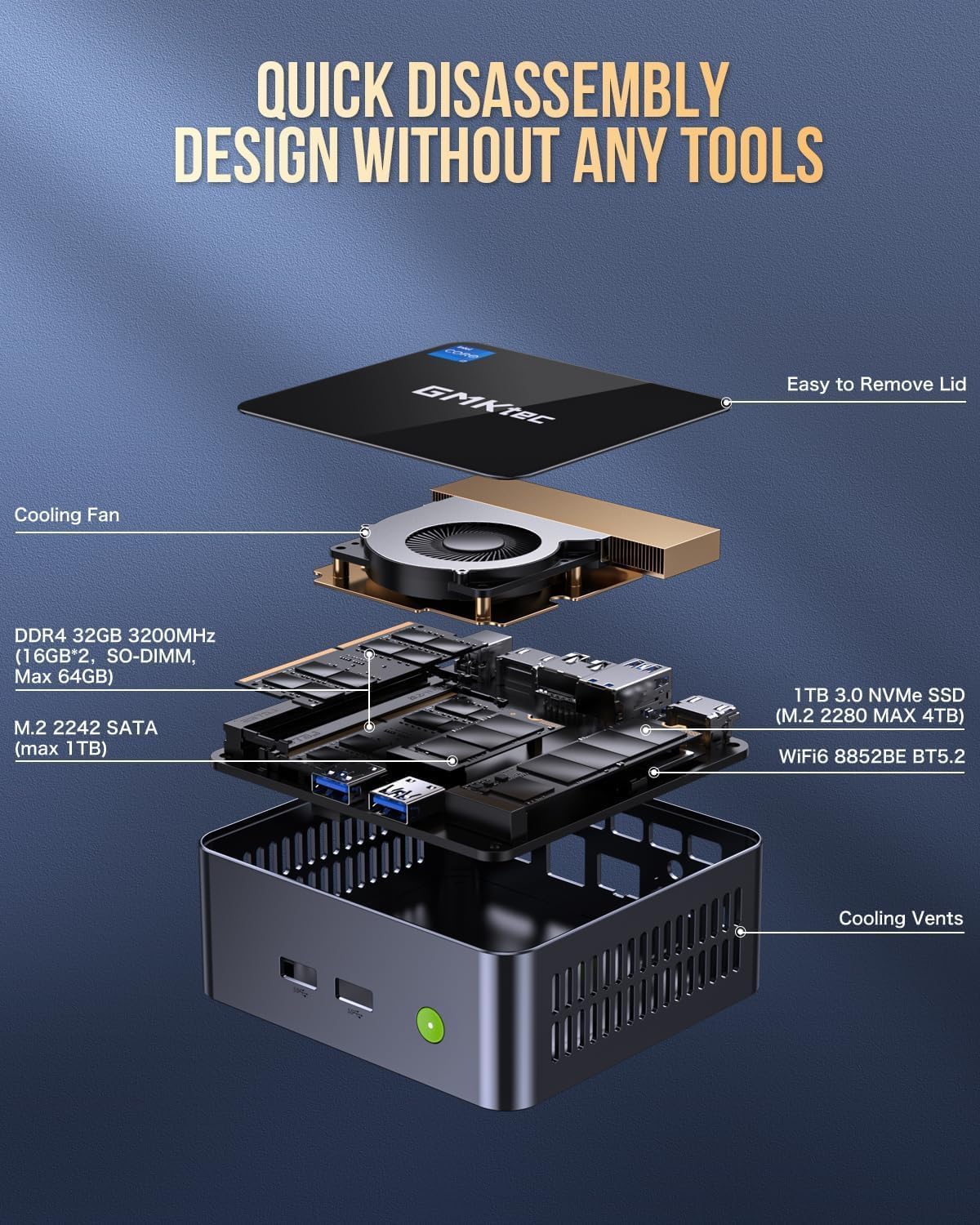
Image: Desktop placement and VESA mount installation options for the Mini PC.
عملیاتي لارښوونې
پاور آن/بند
- د فعالولو لپاره: د وسیلې په مخ کې د بریښنا تڼۍ فشار ورکړئ.
- د بندولو لپاره: په وینډوز کې د سټارټ تڼۍ کلیک وکړئ، بیا پاور > بندول غوره کړئ.
- د بیا پیلولو لپاره: په وینډوز کې د سټارټ تڼۍ کلیک وکړئ، بیا پاور> بیا پیل غوره کړئ.
د درې اړخیزه ښودنې تنظیم کول
The GMKtec Mini PC M2Pro S supports up to three 4K displays simultaneously. Connect your monitors to the available HDMI ports and the USB Type-C port. Once connected, Windows will automatically detect the displays. You can configure display settings (e.g., extend, duplicate) via ترتیبات> سیسټم> ښودنه.

انځور: Example of a triple 4K display setup with the Mini PC.
د شبکې ارتباط
- تار لرونکی (LAN): Connect an Ethernet cable to the RJ45 port for a stable 2.5Gbps connection.
- بېسیم (وای فای): Access network settings in Windows to connect to a WiFi 6 network.
- بلوتوث: Pair Bluetooth devices (e.g., headphones, keyboard, mouse) via Windows Bluetooth settings.
ساتنه او لوړول
د ذخیرې پراخول
The GMKtec Mini PC M2Pro S supports storage expansion:
- The existing M.2 2280 NVMe (PCIe3.0) SSD can be upgraded to a maximum of 2TB.
- An additional M.2 2242 SATA slot is available for expansion up to 2TB.
د رام پراخول
The device comes with 32GB DDR4 SODIMM RAM in a dual-channel configuration. It can be expanded up to a maximum of 64GB by replacing the existing modules with higher capacity ones.
داخلي برخو ته لاسرسی
The mini PC features a quick disassembly design for easy access to internal components for upgrades or maintenance. Carefully remove the lid to access the RAM and SSD slots. Refer to the diagram below for guidance.

Image: Quick disassembly design for internal component access.

Image: Illustration of the upgraded quiet cooling fan system.
د ستونزو حل کول
If you encounter issues with your GMKtec Mini PC M2Pro S, refer to the following common solutions:
- ځواک نشته: Ensure the power adapter is securely connected to both the mini PC and a working power outlet. Check the power button for any damage.
- نه ښودنه: Verify that the monitor is powered on and correctly connected to the mini PC via HDMI or USB Type-C. Try a different cable or monitor if possible. Ensure the correct input source is selected on your monitor.
- No Network Connection (Wired): Check if the Ethernet cable is properly connected to both the mini PC and your router/modem. Verify router status.
- No Network Connection (Wireless): Ensure WiFi is enabled in Windows settings. Check if the correct WiFi network is selected and the password is entered correctly.
- ورو فعالیت: Close unnecessary applications. Check for background processes. Ensure sufficient free storage space. Consider upgrading RAM or SSD if performance issues persist after basic troubleshooting.
- Windows Activation Issues: If you experience problems activating Windows 11 Pro, ensure your internet connection is active. If the issue persists, contact GMKtec customer support for assistance.
For further assistance, please contact GMKtec customer support.
تخنیکي مشخصات
| فیچر | مشخصات |
|---|---|
| برانډ | د GMKtec |
| د ماډل شمیره | M2 Pro S |
| پروسیسر | Intel Core i7-1185G7 (4.8 GHz Turbo, 4 Cores, 8 Threads) |
| RAM | 32GB DDR4 SDRAM (3200 MHz, Dual-channel, expandable to 64GB) |
| ذخیره کول | 512GB M.2 2280 NVMe SSD (PCIe 3.0, expandable to 2TB), M.2 2242 SATA slot (expandable to 2TB) |
| د ګرافیک کاپروسیسر | Intel Iris Xe Graphics G7 96EU |
| د اعظمي سکرین ریزولوشن | 5120 x 2880 پکسلز |
| عملیاتي سیسټم | وینډوز 11 پرو |
| بې سیم ډول | وای فای ۶ (۸۰۲.۱۱ اکس)، بلوتوث ۵.۲ |
| LAN | 2.5Gbps RJ45 Ethernet |
| USB بندرونه | 3 x USB 3.2, 1 x USB Type-C (40Gbps) |
| د ویډیو تولید | 2 x HDMI (4K@60Hz), 1 x USB Type-C (4K@60Hz) |
| آډیو پورټ | 3.5mm CTIA |
| د توکي وزن | ۲.۴۵ پونډه |
| د کڅوړې ابعاد | 6.38 x 6.26 x 4.69 انچه |
تضمین او ملاتړ
Your GMKtec Mini PC M2Pro S comes with a standard manufacturer's warranty. Please refer to the warranty card included in your package for specific terms and conditions. For technical support, troubleshooting assistance, or warranty claims, please contact GMKtec customer service directly. Contact information can typically be found on the GMKtec official webسایټ یا د هغه پلورونکي له لارې چې تاسو یې محصول اخیستی.
The seller for this product is GMKtec一Store. Please reach out to them for product-specific inquiries.


