پیژندنه
The BEITONG KP40 Wireless Controller is a high-performance gamepad designed for a superior gaming experience across multiple platforms. This manual provides detailed instructions on setting up, operating, customizing, and maintaining your controller to ensure optimal performance. It is compatible with PC, Nintendo Switch/Switch 2, Android, iOS, and Steam platforms, offering versatile connectivity options including wired, Bluetooth, and 2.4GHz wireless.
د محصول ځانګړتیاوې
Adjustable TMR Joystick & Triggers
The KP40 features TMR joysticks that combine durability, precision, and low power consumption. You can easily adjust the joystick tension from 30-90gf by rotating the force ring during gameplay, allowing you to find your ideal feel. These joysticks boast less than 1% drift and over 5400 precision. The fast TMR triggers offer up to 0.1mm accuracy with contactless and frictionless operation.

انځور: اوورview of the BEITONG KP40 controller highlighting the adjustable TMR joystick, TMR trigger with micro/linear switch, and optical axis buttons.

انځور: تفصیلي view of the TMR Rapid Trigger, illustrating its vibrated feedback, 0.3mm micro-switch trigger for quick response, and 8mm linear trigger for high precision.

Image: Exploded diagram of the TMR Electromagnetic Joystick, showing components like customized stick caps, adjustable damping ring, magneto-resistance sensors, and self-developed chip, emphasizing features like over 5400+ overclocking DPI, adjustable tension, anti-drift design, over 1000Hz polling rate, and 5 million+ turns life.
Enhanced Optical Buttons & Hybrid D-Pad
The controller is equipped with a dedicated hybrid D-pad, offering 8-direction sensitivity and precise feedback, particularly beneficial for fighting games. The precise optical switches are 70% faster than traditional buttons, providing frictionless operation and a lifespan exceeding 10 million presses. This feature ensures first-class precision for both competitive and casual gamers on Switch or PC.

انځور: چاودنه وشوه view of the Omnidirectional D-Pad, illustrating its centering mechanism and tactile switches for clear 360-degree feedback.
اضافي دندې
The KP40 includes two programmable back paddles, a linear switch, and a turbo function for enhanced gameplay. Its design also incorporates anti-wear features for extended durability.

انځور: نږدې انځور views of the controller highlighting additional functions such as the two programmable back paddles, linear switch, turbo function, and anti-wear design elements.
تنظیم او پیوستون
د څو پلیټ فارم مطابقت
The BEITONG KP40 controller supports various platforms including PC, Nintendo Switch/Switch 2, Android, iOS, and Steam. You can easily switch between modes using the dedicated system button located on the rear of the controller. This ensures a smooth and lag-free experience, ideal for competitive cross-platform gaming.
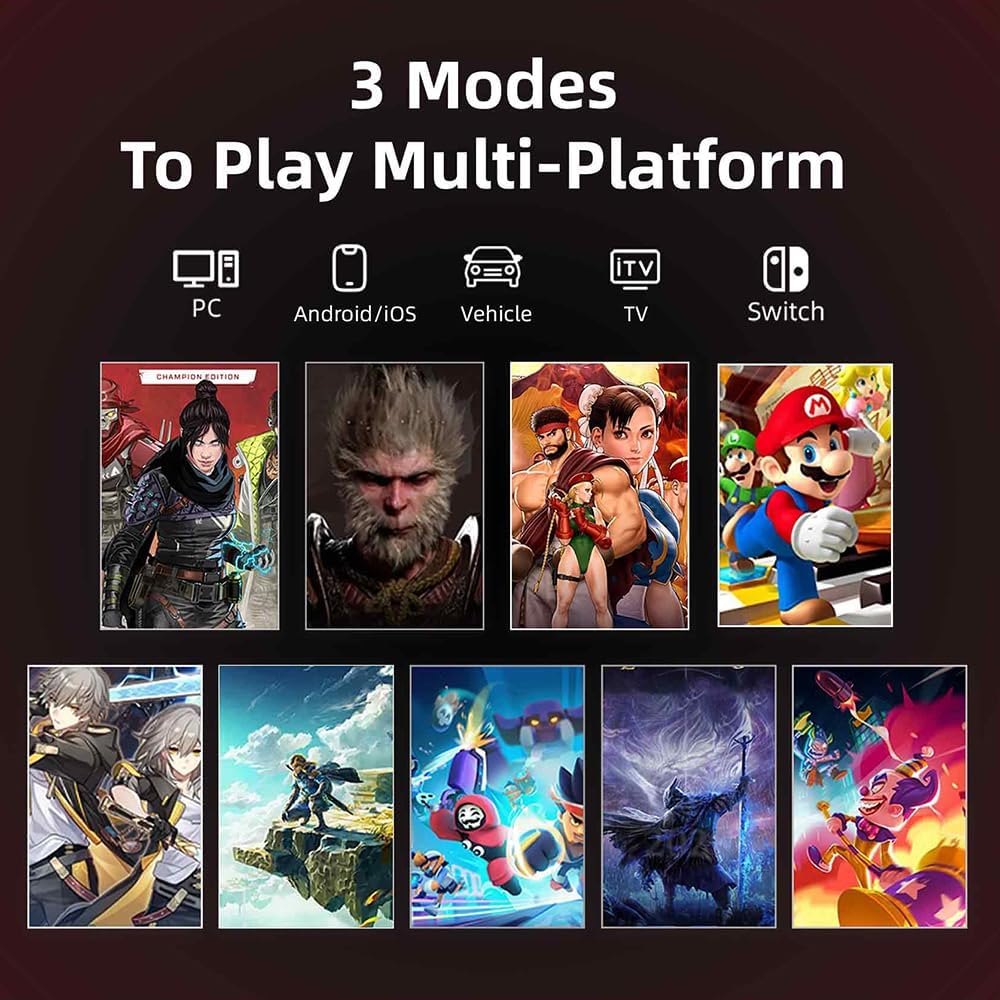
Image: Visual representation of the BEITONG KP40 controller's compatibility with multiple platforms, including PC, Android/iOS, and Nintendo Switch, showcasing various game titles.
د پیوستون میتودونه
The controller offers flexible connectivity options:
- د تار نښلول: کنټرولر د USB-C کیبل په کارولو سره مستقیم خپل وسیله سره وصل کړئ.
- بلوتوث پیوستون Pair the controller wirelessly with compatible Bluetooth-enabled devices.
- 2.4GHz بې سیم اتصال: Use the included 2.4GHz dongle for a stable wireless connection, especially for PC gaming.
The controller features a 1000Hz+ polling rate (via wired or 2.4GHz dongle) for faster response times.
Smart Wake-up Charging Dock
The included smart charging dock provides a stable connection and convenient charging. Simply pick up the controller from the dock to power it on and start playing. When you place the controller back on the dock, it automatically begins charging. To reconnect after placing it on the dock, simply press the home button on the controller.

Image: The BEITONG KP40 Wireless Controller resting on its smart charging dock, indicating its charging and wake-up functionality.
عملیاتي لارښوونې
پاور آن/بند
- د فعالولو لپاره: Press the Home button. If using the charging dock, simply lift the controller.
- د بریښنا بندولو لپاره: Hold the Home button for a few seconds, or place it back on the charging dock.
د حالت بدلول
Use the system button on the rear of the controller to cycle through different platform modes (PC, Switch, Android/iOS). Refer to the LED indicators on the controller for the current mode.
بنسټیز کنټرولونه
Familiarize yourself with the standard button layout, including the TMR joysticks, D-pad, action buttons (A, B, X, Y), shoulder buttons (L1, R1), and TMR triggers (L2, R2). The programmable back paddles can be assigned functions via the customization software.
اصلاح کول
The BEITONG KP40 controller offers extensive customization options through the BEITONG Gamepad Assistant software. This allows you to fine-tune various aspects of your controller for a personalized gaming experience.
د اصلاح کولو اختیارونه:
- Joystick Dead Zone: Adjust the sensitivity and dead zone of the TMR joysticks to prevent unintended inputs.
- د توربو سرعت: Configure the rapid-fire speed for buttons with the turbo function.
- د وایبریشن شدت: Modify the strength of the controller's haptic feedback.
- د RGB رڼا: Customize the RGB lighting effects and colors.
- د میکرو دندې: Program complex sequences of button presses to a single input.
- Programmable Back Paddles: Assign specific button functions to the two back paddles for quick access.
Download the BEITONG Gamepad Assistant from the official BEITONG webسایټ یا ستاسو د وسیلې ایپ پلورنځي.
ساتنه
چارج کول
To charge the controller, place it on the smart charging dock. Ensure the dock is connected to a power source. The controller will indicate charging status (e.g., LED light changes). A full charge typically takes a few hours.
پاکول
Use a soft, dry cloth to clean the surface of the controller. For stubborn dirt, slightly dampen the cloth with water. Avoid using harsh chemicals or abrasive materials, as these can damage the controller's finish and internal components. Keep the charging contacts on both the controller and the dock clean to ensure reliable charging.
ذخیره کول
When not in use for extended periods, store the controller in a cool, dry place away from direct sunlight and extreme temperatures. It is recommended to fully charge the controller before long-term storage to preserve battery health.
د ستونزو حل کول
کنټرولر نه نښلي
- بیټرۍ چیک کړئ: Ensure the controller is sufficiently charged. Place it on the charging dock.
- Verify Mode: Make sure the controller is in the correct mode for your platform (PC, Switch, Android/iOS) using the rear system button.
- بیا جوړه: For Bluetooth or 2.4GHz connections, try unpairing and re-pairing the controller with your device.
- د تار نښلول: If wireless connection fails, try connecting the controller directly via USB-C cable to rule out wireless interference.
- وسیله بیا پیل کړئ: Sometimes restarting your gaming device or computer can resolve connection issues.
Buttons or Joysticks Unresponsive
- بیا حساب کول: Use the BEITONG Gamepad Assistant software to recalibrate joysticks and check button inputs.
- د خنډونو لپاره وګورئ: Ensure no debris is lodged around buttons or joysticks.
- د سافټویر تازه کول: Check if there are any firmware updates available for the controller via the Gamepad Assistant.
د چارج کولو مسلې
- Check Cable/Dock: Ensure the charging cable and dock are properly connected and not damaged.
- پاکې اړیکې: Clean the charging contacts on both the controller and the dock with a dry cloth.
- د بریښنا سرچینه: یو بل USB پورټ یا د بریښنا اډاپټر هڅه وکړئ.
مشخصات
| فیچر | تفصیل |
|---|---|
| د ماډل شمیره | BTP-KP40A-BK |
| ارتباط | Wired, Bluetooth, 2.4GHz Wireless |
| مطابقت لرونکي پلیټ فارمونه | PC, Nintendo Switch/Switch 2, Android, iOS, Steam |
| د جوی سټیک ډول | Adjustable TMR Electromagnetic Joystick |
| د محرک ډول | Dual TMR Triggers (Micro/Linear Switch) |
| تڼۍ | Optical Buttons, Hybrid D-Pad, Programmable Back Paddles |
| د رای ورکولو کچه | 1000Hz+ (Wired/2.4GHz) |
| د حرکت کنټرول | --محور |
| بیټرۍ | 1 AAA battery (included) - Note: This may refer to a small internal battery or a placeholder. The smart charging dock implies a rechargeable battery. |
| ابعاد | 10.97 x 8.26 x 3.05 سانتي متره |
| وزن | 340.19 ګرامه |
تضمین او ملاتړ
BEITONG is committed to providing high-quality products and customer satisfaction. For any issues or questions regarding your BEITONG KP40 Wireless Controller, the BEITONG technical support team is available to provide assistance within 24 hours.
Please refer to your purchase documentation for specific warranty terms and conditions. For technical support, visit the official BEITONG webسایټ یا د دوی پیرودونکي خدمت سره اړیکه ونیسئ.


