1. د تنظیم کولو لارښود
Follow these steps to set up and activate your VDIAGTOOL D200 scanner:
- Download the VDIAGTOOL App: Download the official VDIAGTOOL app from the Google Play Store (for Android) or Apple App Store (for iOS). Alternatively, scan the QR code provided in the user manual or on the device itself to access the app store.
- یو حساب جوړ کړئ: Open the app and create a new account using your email address. A verification code will be sent to your email. Enter this code to complete registration. Check your spam folder if you do not receive the email.
- خپل وسیله فعاله کړئ: Enter the serial number and activation code found on the device or in the packaging to bind your VCI device to your account.
- Plug into OBD-II Port: Insert the D200 device firmly into your vehicle's OBD-II port. The device powers on automatically via the vehicle's 12V system.
- انجن پیل کړئ: Ensure the device is fully seated, then start your vehicle's engine.
- د بلوتوث له لارې وصل شئ: Enable Bluetooth on your smartphone and pair the D200 device in your phone's Bluetooth settings. Connection is typically established within 10-15 seconds. A green VCI indicator in the app confirms a successful connection. You can then proceed with vehicle diagnostics.
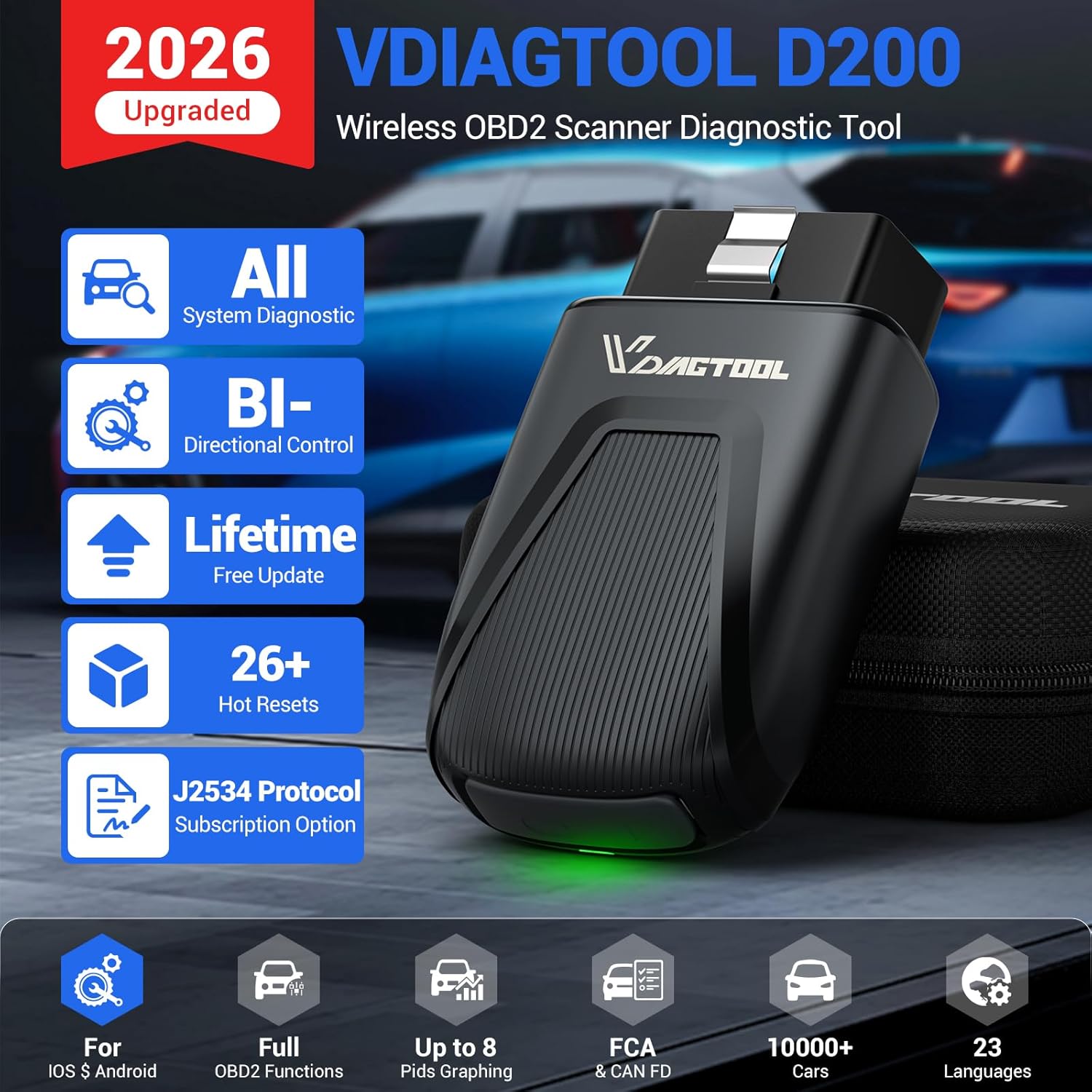
Image: The VDIAGTOOL D200 OBD2 scanner, its carrying case, and packaging. The device is compact and designed for easy portability.
Video: A step-by-step guide on setting up the VDIAGTOOL D200, including app download, device activation, and connecting to the vehicle's OBD-II port.
2. عملیاتي لارښوونې
The VDIAGTOOL D200 app provides a user-friendly interface for various diagnostic functions:
۴.۶ د اپلیکیشن انٹرفیس اوورview
- اتومات سکین: Initiates a comprehensive scan of all available vehicle systems.
- OBD II: Accesses standard OBD2 functions like reading/clearing codes, live data, and I/M readiness.
- تشخیص: Allows manual selection of vehicle make/model for specific diagnostic routines.
- ځانګړي دنده: Contains various reset and relearn functions for maintenance.
- تازه معلومات: Manages software updates for vehicle models and special functions.
- راپور: Generates and stores diagnostic reports.
- Mall: Provides options to purchase additional advanced functions and vehicle-specific software.
- Application Center: Offers quick access to frequently used functions like MIL Status, Smog Check, Performance Test, DTC Query, Technical Bulletins, and Warning Light Symbols.
2.2 تشخیصي دندې
- د سیسټم بشپړ تشخیص: The D200 can access all available vehicle systems (Engine, Transmission, ABS, SRS, BCM, HVAC, etc.) to read fault codes, view system status, and retrieve live data.
- د معلوماتو ژوندۍ خپرونه: Supports up to 8 simultaneous PIDs (Parameter IDs) with real-time graphing. This allows visual comparison of sensor values and performance trends, aiding in the detection of intermittent issues.
- Bi-directional Control / Active Tests: Send commands directly to the vehicle's ECU to perform active tests on components such as fuel pumps, relays, solenoids, injectors, cooling fans, windows, and sunroofs. This verifies component functionality and assists in troubleshooting.

Image: A smartphone displaying the VDIAGTOOL app performing active tests, showing commands being sent to the vehicle's ECU to operate components like windows and mirrors.
Video: Demonstration of the VDIAGTOOL D200's bi-directional control features, showing how to activate various vehicle components directly from the smartphone app.
3. Maintenance Functions (Special Functions)
The D200 includes a variety of special functions for routine maintenance and advanced repairs:
3.1 Essential Reset & Relearn Functions (26+)
- د تیلو بیا ځای پرځای کول
- د بریښنایی پارکینګ بریک (EPB) خدمت
- Crank Relearn
- Battery Management System (BMS) Battery Registration
- د سټیرینګ زاویه سینسر (SAS) کیلیبریشن
- ABS Brake Bleeding
- Throttle Relearn
- د انجیکشن کوډ کول
- د سر څراغ تنظیم کول
- Tire Size Reset
- او ډیر نور.
Note: Available service functions may vary by vehicle model and year. Always check compatibility in advance.
3.2 Expandable Advanced Functions (49+ & 100+)
The D200 offers optional upgrades to expand its capabilities:
- 49+ Advanced Resets & 100+ Vehicle-Specific Functions: Available via a 3-year access subscription, these functions enable deeper repairs such as zero-point calibration and AdBlue Reset.
- J2534 Pass-Thru Programming: A one-time Lifetime Unlock allows the D200 to function as a J2534 pass-thru interface. This supports 17+ major brands (e.g., BMW, Audi, GM, Ford) for module programming, software reflashing, and ECU data updates. Note: OEM software compatibility and PC requirements must be checked, as D200 does not provide OEM software.

Image: An illustration of a car highlighting various systems that the VDIAGTOOL D200 can diagnose, including BMS, ECM, SAS, Transmission, EPB, ABS, TPMS, and Headlamp.
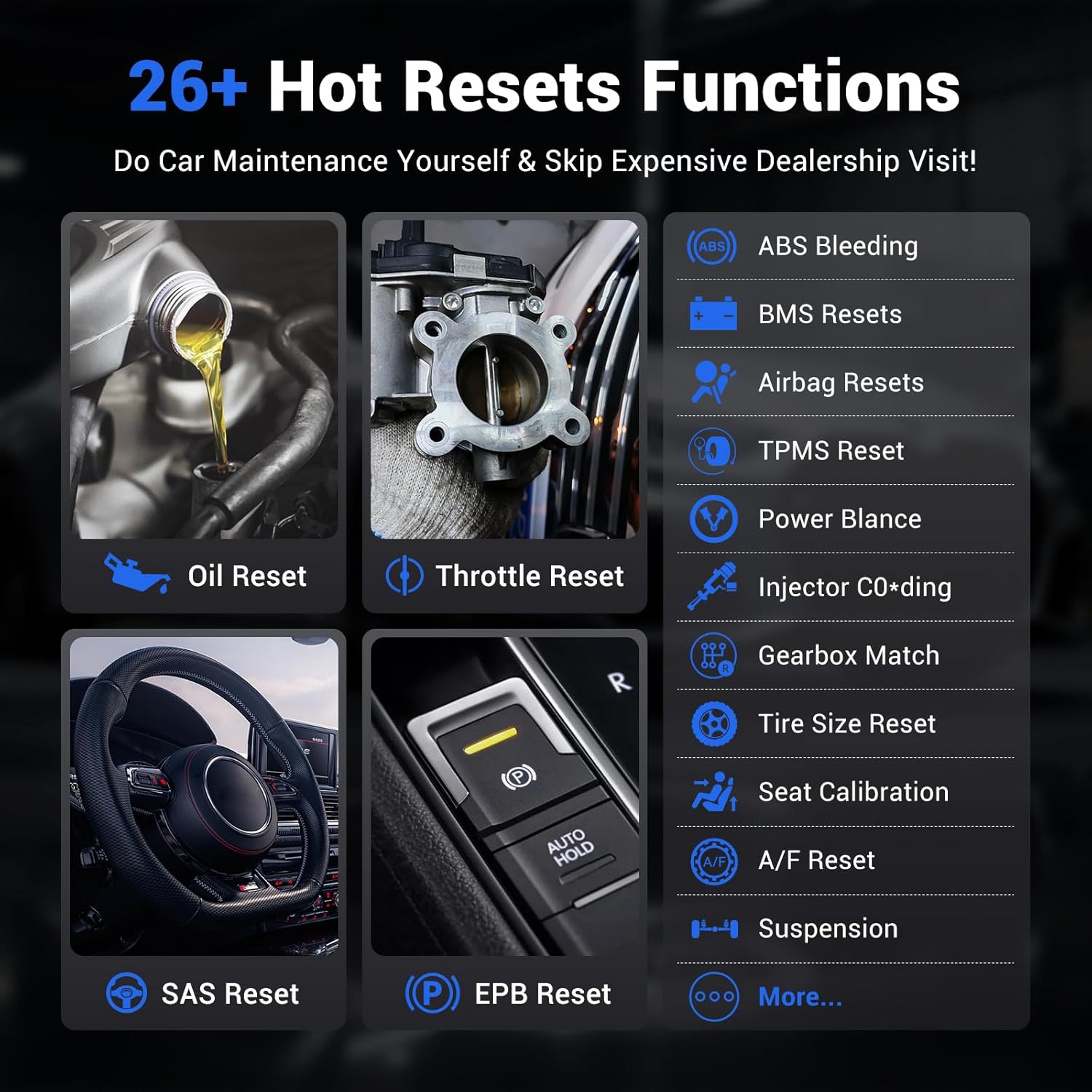
Image: A grid of icons representing 26+ hot reset functions available on the VDIAGTOOL D200, such as Oil Reset, Throttle Reset, ABS Bleeding, BMS Resets, Airbag Resets, TPMS Reset, Injector Coding, and EPB Reset.
4. Troubleshooting & Information
4.1 عام مسایل
- د وسیلې فعالول: Ensure correct serial number and activation code are entered. Check email for verification code.
- بلوتوث پیوستون Verify Bluetooth is enabled on your phone and the device is properly plugged into the OBD-II port.
- د سافټویر تازه معلومات: Regularly check the 'Updates' section in the app to ensure all necessary vehicle models and special functions are downloaded for optimal performance and compatibility.
4.2 د تشخیص معلومات
- DTC Query: Look up detailed information for Diagnostic Trouble Codes (DTCs) directly within the app.
- Technical Bulletins: Access technical service bulletins for specific vehicle makes and models to stay informed about known issues and recommended repairs.
- Warning Light Symbols: The app provides a comprehensive guide to common warning light symbols (red, yellow, status) to help users understand their vehicle's alerts.
ویډیو: تفصيلي بیاکتنهview of the VDIAGTOOL D200 OBD2 scanning tool, demonstrating its features and ease of use for vehicle diagnostics and maintenance.
5. مشخصات
| برانډ | VDIAGTOOL |
| ماډل | Vdiagtool D200 OBDII Scanner |
| د بریښنا سرچینه | OBD II پورټ |
| د محصول ابعاد | ۷۱"لیتر x ۲۳.۶"واټه x ۲۴.۴"هوا |
| د عملیاتي سیسټم مطابقت | Android 7.0 & above, iOS 10.0 & above |
| ژبه | English (23 languages supported via customer service) |
| د موټرو فټ ډول | یونیورسل فټ |
| د توکي وزن | 3.53 اونس |
| ارتباط | بلوتوث 5.2 |
| ملاتړ شوي پروتوکولونه | CAN FD, FCA AutoAuth |
6. تضمین او ملاتړ
- 2-Year VdiagTool Product Care: Your device is covered by a 2-year product care policy.
- د ۳۰ ورځو وړیا راستنیدل: Enjoy a 30-day free return period for your purchase.
- ۲۴/۷ د پیرودونکو خدمت: For any questions or support, contact us anytime at support@vdiagtool.com.
- د څو ژبو ملاتړ: The D200 supports 23 languages. To switch languages, contact customer support with your device serial number.

Image: A graphic detailing VDIAGTOOL's customer support, including lifetime free updates, 2-year warranty, 30-day free return, and 24/7 customer service, alongside flags representing 23 supported languages.