1. پیژندنه
This manual provides essential information for the safe and effective use of your UREVO Spacewalk 5L Smart Walking Pad Treadmill. Please read all instructions carefully before operation and retain this manual for future reference.

Figure 1: UREVO Spacewalk 5L Smart Walking Pad Treadmill in a home office setting.
2. د خوندیتوب معلومات
To reduce the risk of serious injury, read all important precautions and instructions in this manual before using the treadmill. UREVO assumes no responsibility for personal injury or property damage sustained by or through the use of this product.
- تل ټریډمل په یوه هواره سطحه کېږدئ.
- ماشومان او څاروي د عملیاتو په جریان کې د ټریډمیل څخه لرې وساتئ.
- د تمرین مناسب جامې او ورزشي بوټان واغوندئ.
- Do not use the treadmill if you feel dizzy, faint, or experience any pain.
- ډاډ ترلاسه کړئ چې د بریښنا کنډک ټوټه یا خراب شوی نه وي.
- Avoid using the treadmill directly on carpets to prevent overheating.
- Regularly lubricate the running belt and clean the motor box.
3. د بسته محتويات
ډاډ ترلاسه کړئ چې ټولې برخې په بسته کې شتون لري:
- UREVO Spacewalk 5L Treadmill
- Lubricating Oil (x1)
- Hex Tool (x1)
- ریموټ کنټرول (x1)
- د بریښنا تار (x1)
- لارښود لارښود (x1)
Video 1: Unboxing and initial setup of the UREVO Spacewalk 5L Treadmill, showing how to unpack and prepare the unit for first use.
4. ترتیب کول
- بسته بندي کول: Carefully cut the packaging rope and open the top cover of the carton. Remove all packaging materials and accessories.
- د ریموټ کنټرول تنظیم کول: Install batteries into the remote control, paying attention to the correct direction for polarity.
- د بریښنا پیوستون: Connect the power cord to the treadmill and a suitable power outlet. Turn on the main power switch.
- د اپلیکیشن اتصال (اختیاري): Scan the QR code located on the top right of the treadmill or in the manual to download the UREVO APP. When the Bluetooth logo on the treadmill flashes, open the UREVO app, click "Connect" in the upper right corner, and select "Treadmill". لټون "SpaceWalk 5L" and click "Connect". The Bluetooth logo will stop flashing upon successful connection.
- Remove Reminder Label: Check the usage instructions on the reminder label and carefully remove it from the display screen.
5. عملیاتي لارښوونې
5.1 د ریموټ کنټرول عملیات
- پیل / ودرول: Short press the on/off button to start the treadmill.
- چټکتیا/کموالی: Use the '+' and '-' buttons to adjust the speed.
- د انډول سمون: Use the 'Lift +' and 'Lift -' buttons to adjust the incline level. The maximum incline level is 9.
- خاموش: Press the 'MUTE' button to silence buzzer voices.
- حالت: Press the 'MODE' button (when the treadmill is in a stationary standby state) to cycle through displayed data: Distance, Time, Calories, Steps, Lifting Level, Speed. To cancel the selected mode and display data in a carousel, press 'Speed +' and '-'.
- وقفه: Short press the on/off button to pause the treadmill. The remote will show "PAU", and data will be kept for up to 10 minutes before being cleared. Re-press the on/off button to resume.
- بندول: Long press the on/off button. "END" will appear on the remote, indicating the treadmill is off and data is cleared.
Video 2: Demonstration of remote control functions including start, speed adjustment, incline control, and pause.
5.2 UREVO App Operation
- تمرین پیل کړئ: Tap "Start" then "Quick Start" in the app to begin your workout.
- د سرعت سمون: Swipe the screen left and right to increase or decrease the speed.
- د انډول سمون: Use the '+' and '-' buttons on the app interface to adjust the lift angle. The maximum level is 9.
- خاموش: Tap the mute button in the app to mute buzzer voices.
- وقفه: Short press the center "on/off" button in the app to pause the treadmill and keep the data. The pause can be held for 10 minutes, after which the data will be cleared.
- د تمرین طریقې: The UREVO app offers various modes including World Tour, RhythmFit, Competitive Mode, and HIIT Programs for diverse exercise experiences.
ویډیو ۱: پایview of UREVO app features, including speed and incline control, workout tracking, and various program options.
6. کلیدي ځانګړتیاوې
- خاموش عملیات: Equipped with a 2.5HP Megapower dual brushless motor, offering ultra-quiet operation at 40dB and a 10x longer lifespan compared to common brushed motors.
- ۹٪ اتومات انعطاف: Features 9 levels of automatic incline adjustment, enhancing calorie burning efficiency by up to 190% with various HIIT programs.
- AI Smart Fitness App: The UREVO APP includes World Tour, RhythmFit, Competitive Mode, HIIT Programs, and Check-in Activities for engaging workouts.
- 12-Point Shock Absorption System: Combines 8-point silicone shock absorption, a suspended running board, and a 4-point support design to protect joints.
- د لوړ بار وړتیا: Sturdy alloy steel construction supports a maximum weight of 400 pounds.
- د معلوماتو همغږي کول: Syncs workout data with Apple Health and Google Fit.

Figure 2: Illustration of the dual brushless motor technology and its quiet operation.
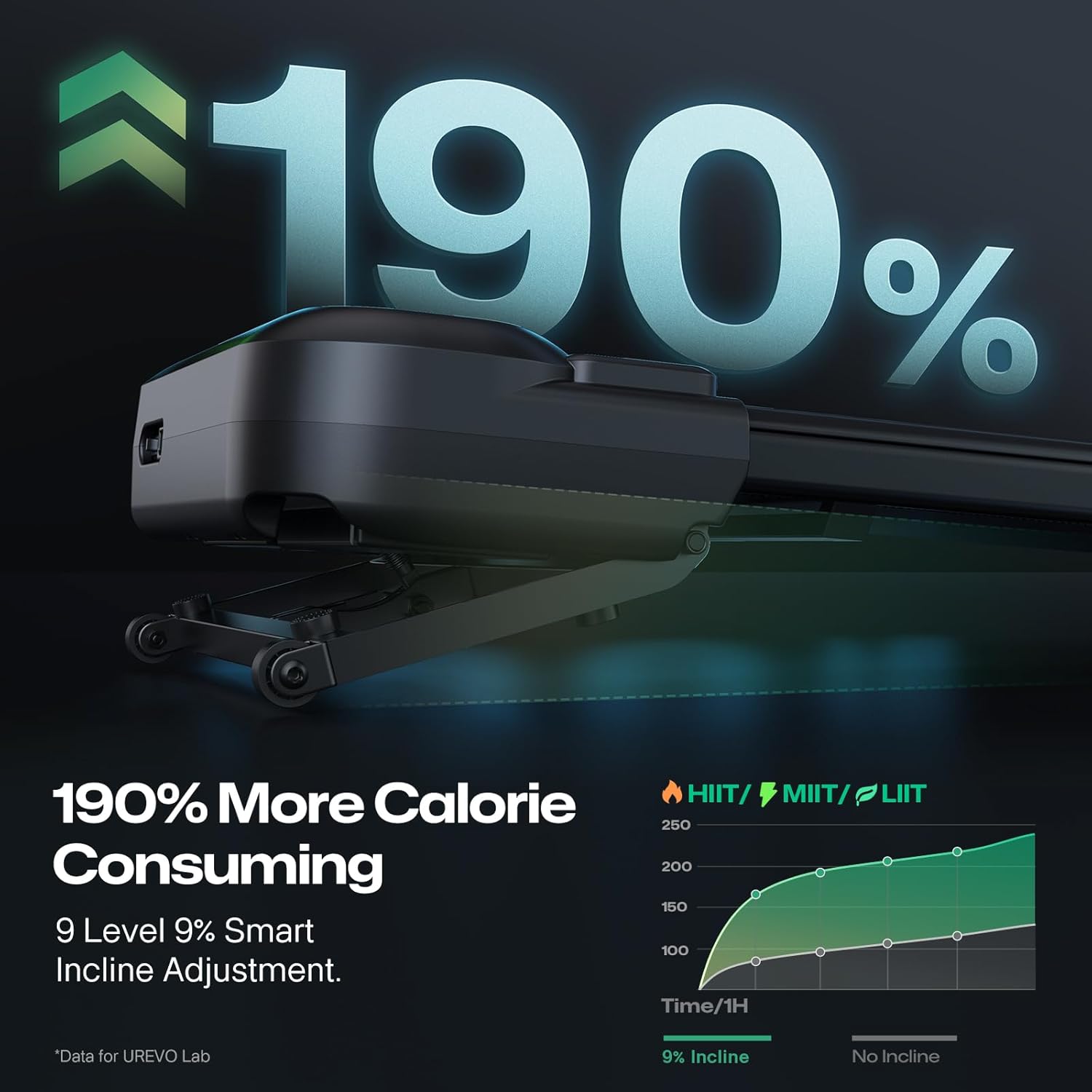
Figure 3: Visual representation of increased calorie burning with incline.

Figure 4: UREVO app interface displaying the World Tour feature.

Figure 5: Visual confirmation of the treadmill's 400 lbs load capacity.
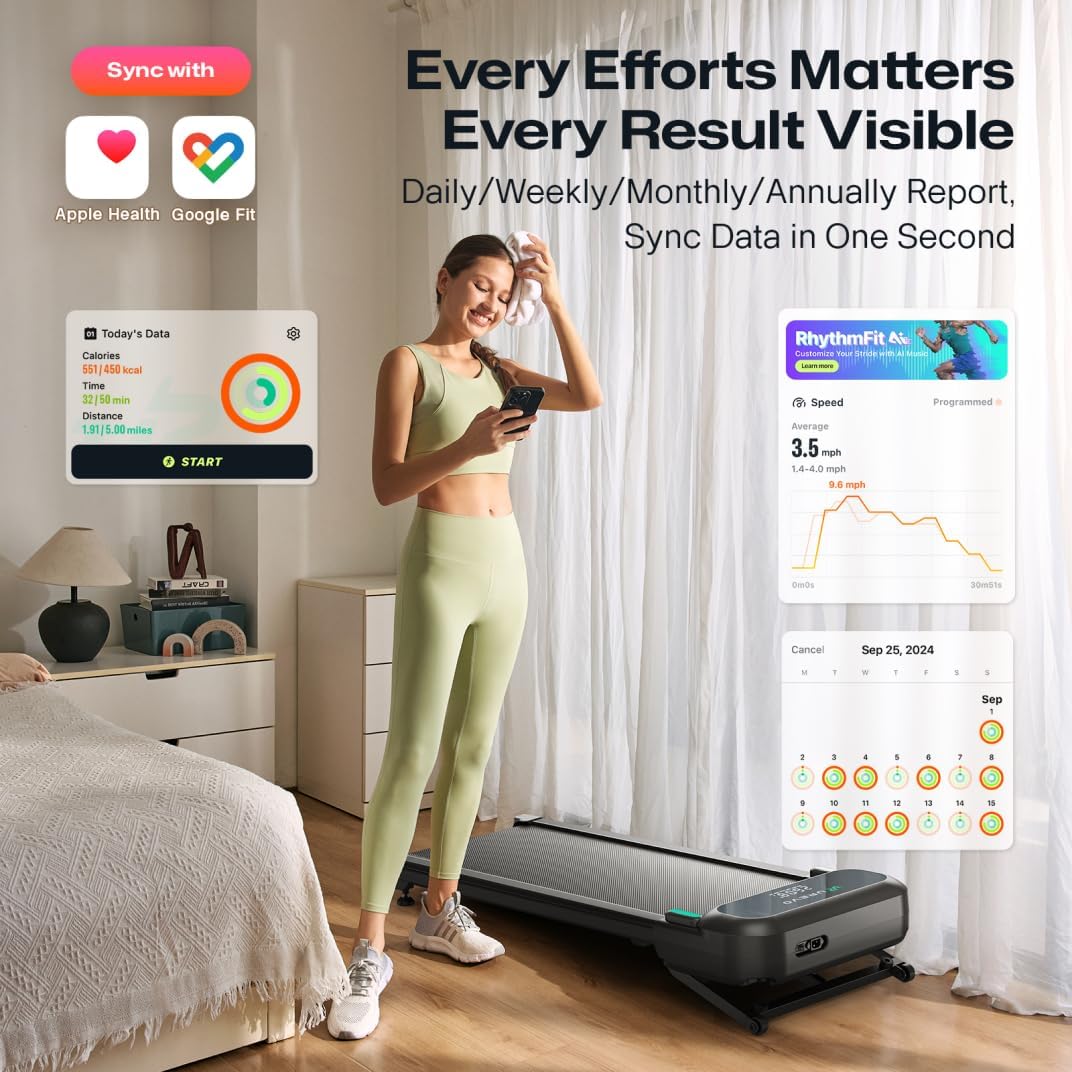
Figure 6: UREVO app displaying data synchronization with health platforms.
7. ساتنه
منظم ساتنه ستاسو د ټریډمل اوږد عمر او غوره فعالیت تضمینوي.
- غوړول: Regularly apply lubricating oil to the running belt as instructed in the manual or app.
- پاکول: Keep the treadmill clean, especially the motor box area, to prevent dust accumulation.
- د کمربند سمون: Periodically check the running belt for proper tension and alignment. Adjust using the provided hex tool if necessary.
8. ستونزه حل کول
If you encounter issues with your UREVO Spacewalk 5L, refer to the following common solutions:
- ټریډمل نه پیل کیږي: Ensure the power cord is securely plugged in and the main power switch is on. Check if the safety key is correctly inserted.
- ریموټ کنټرول ځواب نه ورکوي: Check the batteries in the remote control and replace them if necessary. Ensure there are no obstructions between the remote and the treadmill.
- د اپلیکیشن ارتباط مسلې: Verify Bluetooth is enabled on your device and the treadmill. Ensure the UREVO app is updated to the latest version. Try restarting both the treadmill and your device.
- غیر معمولي شور: Check for any loose parts or foreign objects under the running belt. Ensure the belt is properly lubricated.
For further assistance, please contact UREVO customer support.
9. مشخصات
| مشخصات | تفصیل |
|---|---|
| برانډ | UREVO |
| د ماډل نوم | Spacewalk 5L |
| د محصول ابعاد | ۱۶"د x ۲۶"وچ x ۴۷"ح |
| مواد | د الماس فولاد |
| اعظمي سرعت | په ساعت کې 4 میلونه |
| اعظمي هارس پاور | 2.5 هارس پاور |
| اعظمي انلاین سلنهtage | 9% |
| د اعظمي وزن سپارښتنه | 400 پونډه |
| ځانګړي ځانګړتیاوې | AI Rhythm Tempo Run, Auto Incline, Compact Design, Dual Brushless Motors, Quiet Operation |
| وړاندیز شوي استعمالونه | Indoor, Bad Weather |
10. تضمین او ملاتړ
The UREVO Spacewalk 5L Smart Walking Pad Treadmill comes with a 1 کلن تضمین. For warranty claims, technical support, or any inquiries, please visit the official UREVO webسایټ یا د دوی د پیرودونکي خدماتو څانګې سره اړیکه ونیسئ.
رسمي Webسایټ: www.urevo.com
مهرباني وکړئ د تضمین تصدیق لپاره د پیرود ثبوت وساتئ.


