پیژندنه
The ILIFE A30s Robot Vacuum Cleaner is designed to provide efficient and thorough cleaning for your home. Featuring 10,000Pa max suction power, advanced LiDAR navigation, and smart app control, it simplifies floor maintenance on various surfaces including hard floors and carpets. This manual provides essential information for setting up, operating, maintaining, and troubleshooting your device to ensure optimal performance and longevity.
د بسته محتويات
د تنظیم کولو پیل کولو دمخه، مهرباني وکړئ ډاډ ترلاسه کړئ چې ټول توکي په بسته کې شتون لري:
- ILIFE A30s Robot Vacuum
- د چارج کولو ډاک
- د بریښنا اډاپټر
- ریموټ کنټرول (د دوه AAA بیټریو سره)
- د 2-in-1 رولر برش
- Anti-Tangle Roller Brush
- د غاړې برشونه (دوه جوړې)
- د لوړ موثریت فلټر
- د پاکولو برش
- د لارښوونې لارښود

Image: All components included in the ILIFE A30s package, laid out for inspection.
چمتو کول
۲. د چارج کولو ډاک ځای پرځای کول
Place the charging dock against a wall in an open area. Ensure there is at least 1 meter (3 feet) of clear space on both sides of the dock and 2 meters (6 feet) in front of it for optimal navigation and return.
۴. لومړنی چارج
Connect the power adapter to the charging dock and plug it into a wall outlet. Place the ILIFE A30s robot vacuum onto the charging dock. Ensure the charging contacts on the robot align with those on the dock. Allow the robot to fully charge before its first use (approximately 4-5 hours).

Image: The ILIFE A30s robot vacuum connected to its charging dock, indicating proper placement and charging status.
3. د غاړې برش نصب کړئ
Turn the robot over. Align the side brushes with the corresponding slots on the bottom of the robot and press down until they click into place.
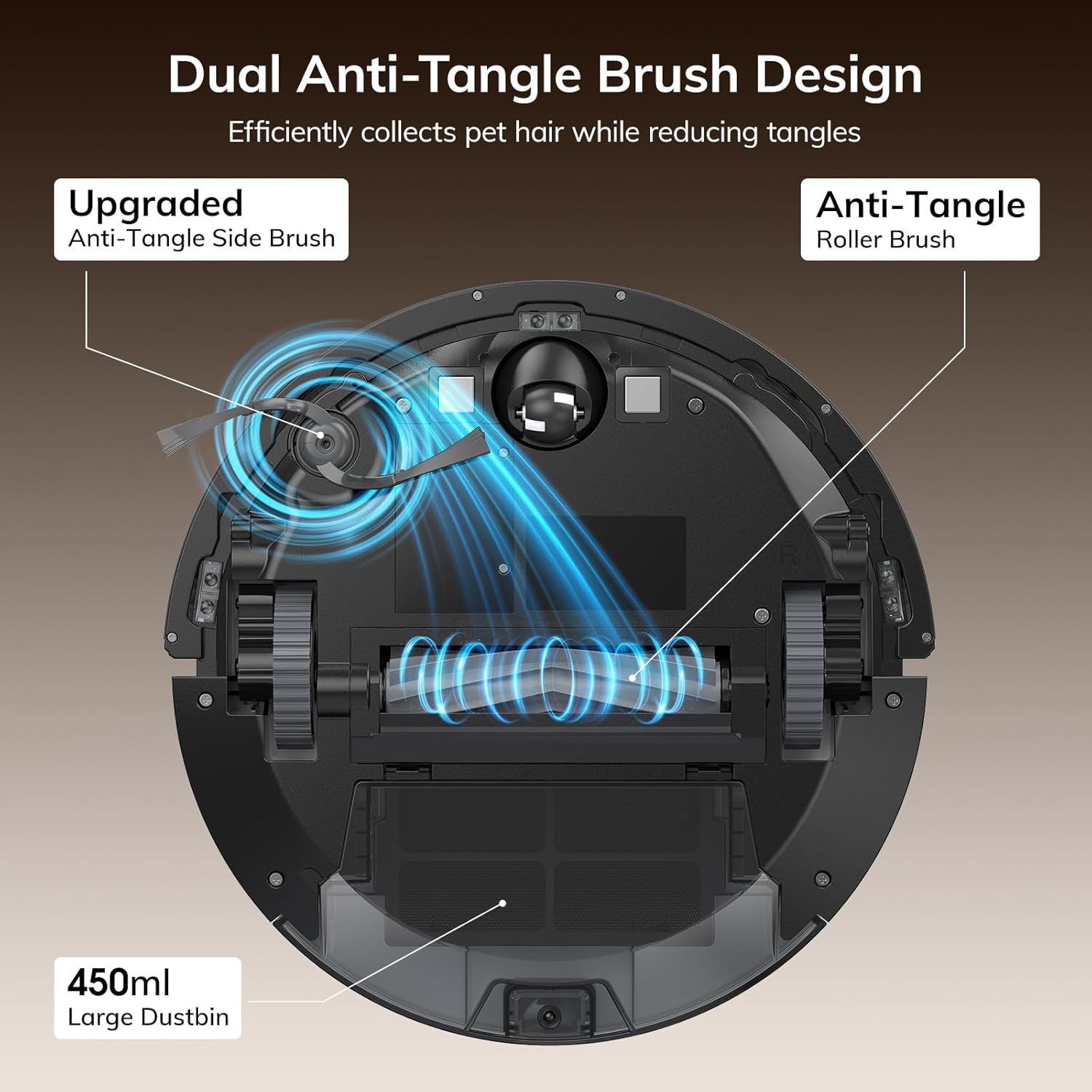
Image: Underside of the ILIFE A30s robot vacuum, highlighting the anti-tangle side brushes and roller brush for pet hair collection.
۵. د اپلیکیشن او غږ کنټرول تنظیم کول
Download the "ILIFE Clean" app from your smartphone's app store. Follow the in-app instructions to connect your A30s robot to your 2.4GHz WiFi network. Once connected, you can link it to Amazon Alexa or Google Assistant for voice control.

Image: Screenshot of the ILIFE Clean App demonstrating various control features and connectivity options.
عملیاتي لارښوونې
۱. د پاکولو دوره پیل کول
Press the "Clean" button on the robot or the play button on the remote control to start an automatic cleaning cycle. The robot will use its LiDAR navigation to map your home and plan an efficient cleaning path.
2. د پاکولو طریقې
The ILIFE A30s offers several cleaning modes:
- د موټرو حالت: Default mode, the robot intelligently cleans based on its map.
- د ځای حالت: For concentrated cleaning of a specific dirty area. The robot will clean in a spiral pattern.
- څنډه حالت: روبوټ د دیوالونو او فرنیچر څنډو سره پاکوي.
- د پاکولو مهالویش: Set specific cleaning times and modes via the ILIFE Clean app.
Image: The ILIFE A30s robot vacuum demonstrating its ability to clean various rooms and navigate around furniture.
3. Smart Mapping & Navigation
Equipped with LDS LiDAR technology and SLAM algorithm, the A30s creates a detailed map of your home. This enables efficient path planning, comprehensive coverage, and object avoidance. You can view and manage these maps in the ILIFE Clean app, including setting no-go zones and virtual walls.
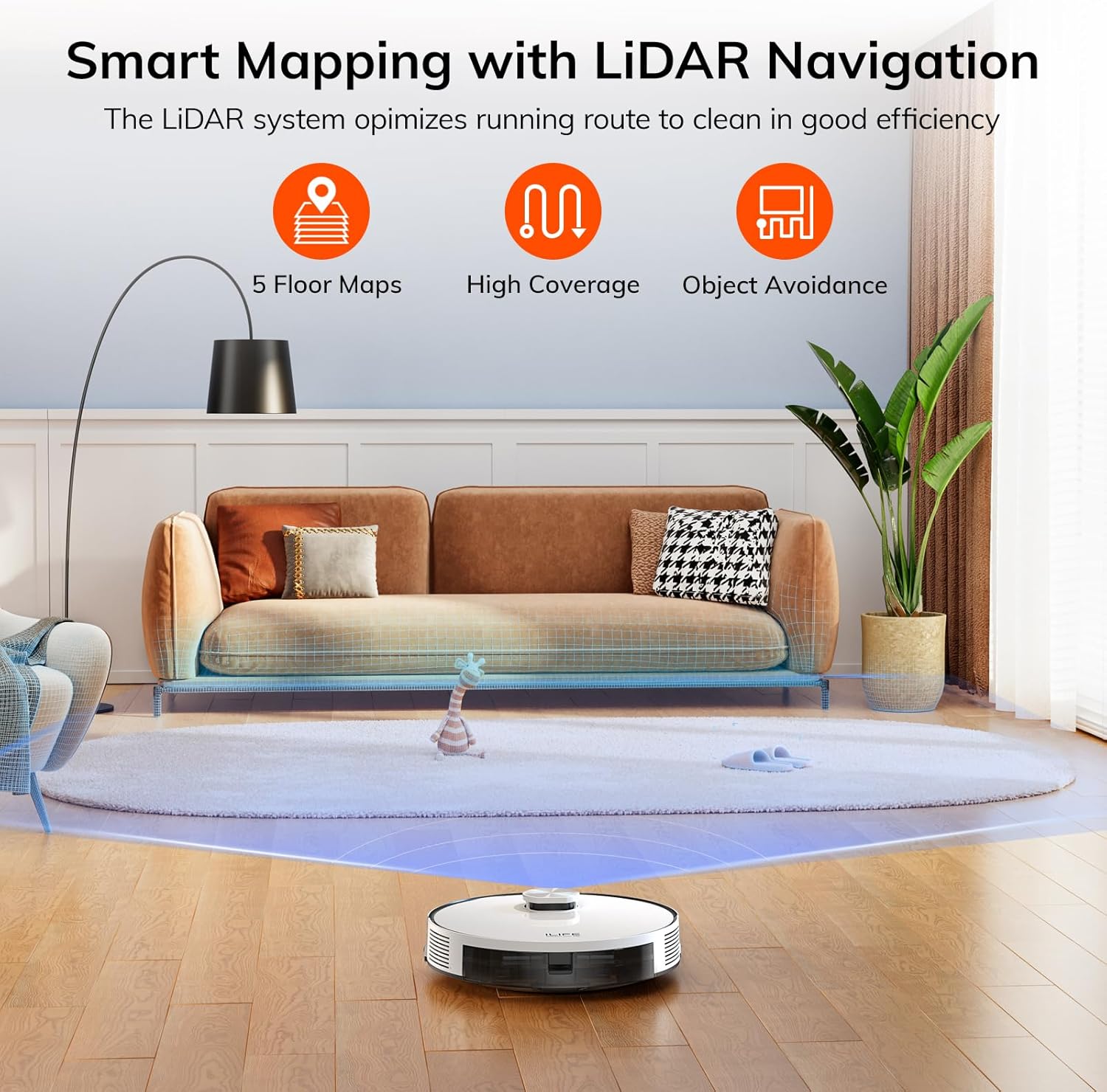
Image: The ILIFE A30s robot vacuum utilizing LiDAR navigation to create a smart map of its environment, ensuring efficient cleaning paths.
4. Auto-Recharge & Resume Cleaning
When the battery level is low, the A30s will automatically return to its charging dock. Once fully charged, it will resume cleaning from where it left off, ensuring your entire home is cleaned without interruption.

Image: The ILIFE A30s robot vacuum illustrating its auto-recharge and resume cleaning function, showing its path to and from the charging dock.
ساتنه
Regular maintenance ensures your ILIFE A30s operates at peak efficiency.
۴. د کثافاتو ډبې خالي کول
Press the "Push" button on the top cover to open it. Remove the dustbin and open its lid to empty collected debris into a trash bin. It is recommended to empty the dustbin after each cleaning cycle.
2. Cleaning Brushes and Filters
Regularly inspect and clean the main roller brush and side brushes. Use the provided cleaning tool to remove any tangled hair or debris. The high-efficiency filter should also be cleaned regularly by tapping it gently to remove dust. Replace the filter every 3-6 months depending on usage.
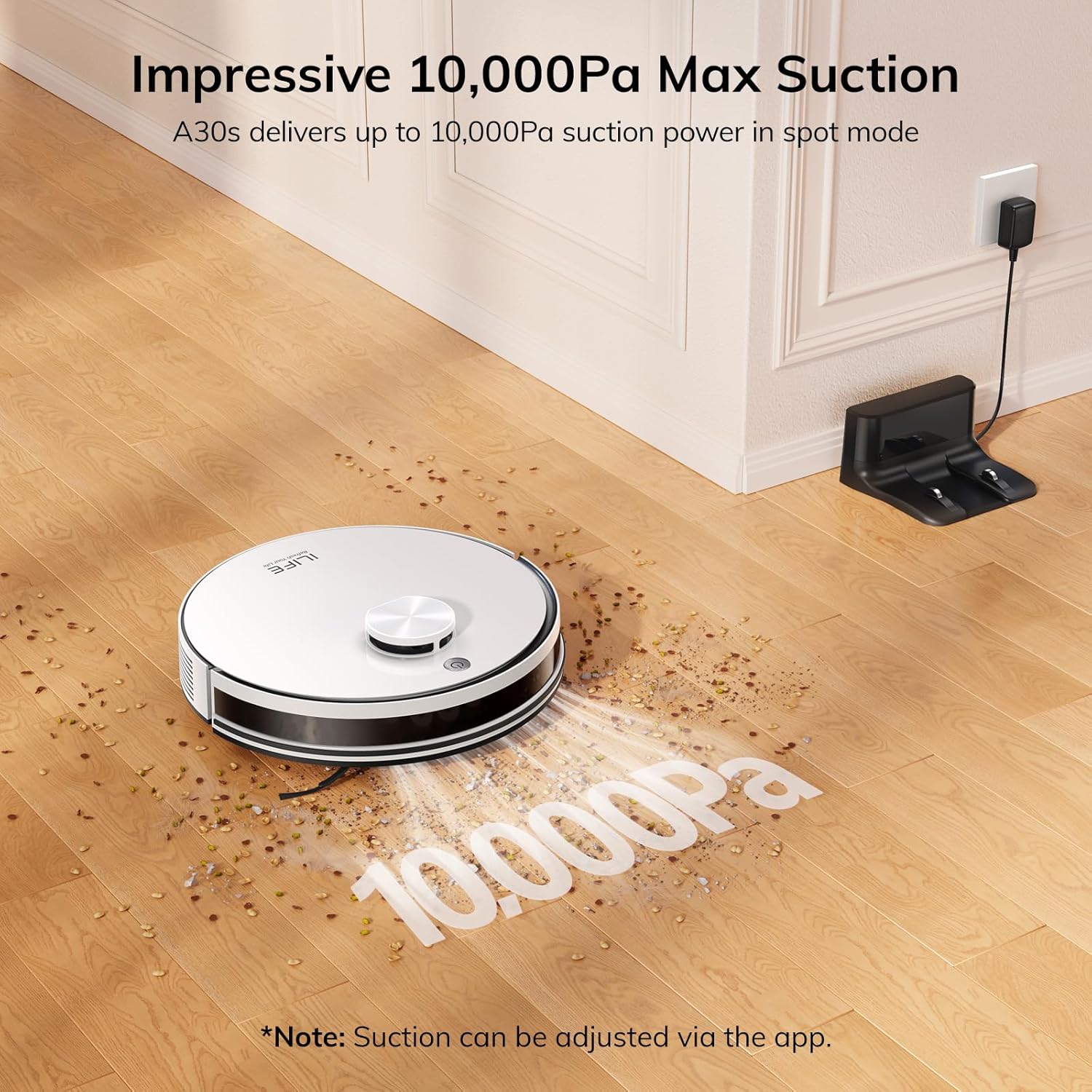
Image: The ILIFE A30s robot vacuum illustrating its powerful suction. Regular cleaning of brushes and filters helps maintain this performance.
د ستونزو حل کول
If your ILIFE A30s encounters an issue, refer to the following common solutions:
- روباټ چارج نه کوي: Ensure the charging contacts on both the robot and dock are clean and properly aligned. Check if the power adapter is securely plugged in.
- روبوټ بند پاتې کېدل: Clear obstacles like cables, small toys, or loose rugs from the cleaning path. Use no-go zones in the app for persistent problem areas.
- د سکشن ځواک کم شوی: Empty the dustbin, clean the main brush, side brushes, and filter. Ensure the filter is not clogged.
- د اپلیکیشن د اتصال مسلې: Verify your WiFi network is 2.4GHz. Restart your router, the robot, and your smartphone. Re-pair the device if necessary.
مشخصات
| فیچر | تفصیل |
|---|---|
| برانډ | ILIFE |
| د ماډل نوم | A30s |
| د اعظمي سکشن ځواک | 10,000Pa (Spot Mode) |
| اعظمي دوره | 150 دقيقو |
| د کثافاتو ظرفیت | 450ml |
| د نیویګیشن ټیکنالوژي | د LDS LiDAR |
| د کنټرول طریقه | Remote, ILIFE Clean App (2.4GHz WiFi), Amazon Alexa, Google Assistant |
| د محصول ابعاد | ۷۱"لیتر x ۲۳.۶"واټه x ۲۴.۴"هوا |
| د توکي وزن | ۲.۴۵ پونډه |
| د سطحې سپارښتنه | سخت پوړ، غالۍ |
| د بیټرۍ ډول | 3200mAh Nonstandard Battery |
تضمین او ملاتړ
The ILIFE A30s Robot Vacuum Cleaner comes with a 1-year warranty. For technical support, troubleshooting assistance, or warranty claims, please contact ILIFE customer service. Refer to the Instruction Guide for detailed contact information.
د رسمي محصول ویډیوګانې
ILIFE Robot Vacuum and Mop Combo Overview
ویډیو: په تفصیل سرهview of the ILIFE Robot Vacuum and Mop Combo, showcasinد هغې ځانګړتیاوې او فعالیت.
S2 Robot Vacuum Demonstration
Video: Demonstration of the S2 Robot Vacuum, highlighting its ease of use and cleaning capabilities.
Easy to Use S2 Vacuum Robot
Video: A video showcasing the simple and user-friendly operation of the S2 Vacuum Robot.


