پیژندنه
Thank you for choosing the iHome HandVac CV15 Cordless Hand Vacuum. This device is designed for quick, powerful, and versatile cleaning, effectively tackling dirt, crumbs, and pet hair in various environments, including your home or car. Its dual suction and air blow feature offers enhanced flexibility for cleaning tight spaces. This manual provides essential information for the proper setup, operation, maintenance, and troubleshooting of your HandVac to ensure optimal performance and longevity.
د خوندیتوب مهمې لارښوونې
مهرباني وکړئ د دې وسیلې کارولو دمخه د خوندیتوب ټولې لارښوونې ولولئ او پوه شئ. د دې لارښوونو په تعقیب کې پاتې راتلل ممکن د بریښنا شاک، اور، یا جدي ټپي کیدو لامل شي.
- دا وسیله یوازې د کور د کارونې لپاره ده. په بهر یا لوند سطحو مه کاروئ.
- Do not allow children to operate the vacuum. Close supervision is necessary when used near children.
- اور مه اخلئ یا سوځیدونکي مایعات لکه ګازولین مه اخلئ، یا په هغه ځایونو کې مه کاروئ چیرې چې شتون ولري.
- هغه څه مه اخلئ چې سوځول یا سګرټ څکول وي، لکه سګرټ، ماچس، یا ګرمې.
- په ځای کې د دوړو کپ او فلټر پرته مه کاروئ.
- یوازې هغه ډول وکاروئ لکه څنګه چې پدې لارښود کې تشریح شوي. یوازې د جوړونکي لخوا وړاندیز شوي ضمیمې وکاروئ.
- چارجر یا وسایل په لوند لاسونو مه سمبالوئ.
- ویښتان، لوڅې جامې، ګوتې او د بدن ټولې برخې د خلاصیدو او خوځنده برخو څخه لرې وساتئ.
- Turn off the appliance before connecting or disconnecting accessories.
- Use only the charging cable provided. A 5V - 1A adapter is required for charging.
د بسته محتويات
ډاډ ترلاسه کړئ چې لاندې ټول توکي ستاسو په بسته کې شامل دي:
- iHome HandVac CV15 Cordless Hand Vacuum Unit
- بلور وسیله
- د کریوس وسیله
- Crevice Tool Brush
- د توسیع نلی
- د USB چارج کیبل

Image: All accessories included with the iHome HandVac CV15.
چمتو کول
Charging the HandVac
- Locate the USB charging port on the HandVac unit.
- Connect the provided USB charging cable to the HandVac.
- Plug the other end of the USB cable into a 5V - 1A USB power adapter (not included).
- د چارج کولو شاخص څراغ به د چارج کولو پرمهال روښانه شي او رنګ به بدل کړي یا کله چې بشپړ چارج شي بند شي.
- د لومړي استعمال څخه دمخه د بشپړ چارج لپاره شاوخوا 2-3 ساعته وخت ورکړئ.
د لوازمو ضمیمه کول
The HandVac CV15 is designed for easy attachment and detachment of its various tools.
- For Suction (Vacuum) Mode: Attach the desired tool (Crevice Tool, Crevice Tool Brush, or Extension Hose) to the main suction port at the front of the HandVac. Ensure it clicks securely into place.
- For Air Blow Mode: Attach the Blower Tool to the rear port of the HandVac. This port is specifically designed for the air blow function.
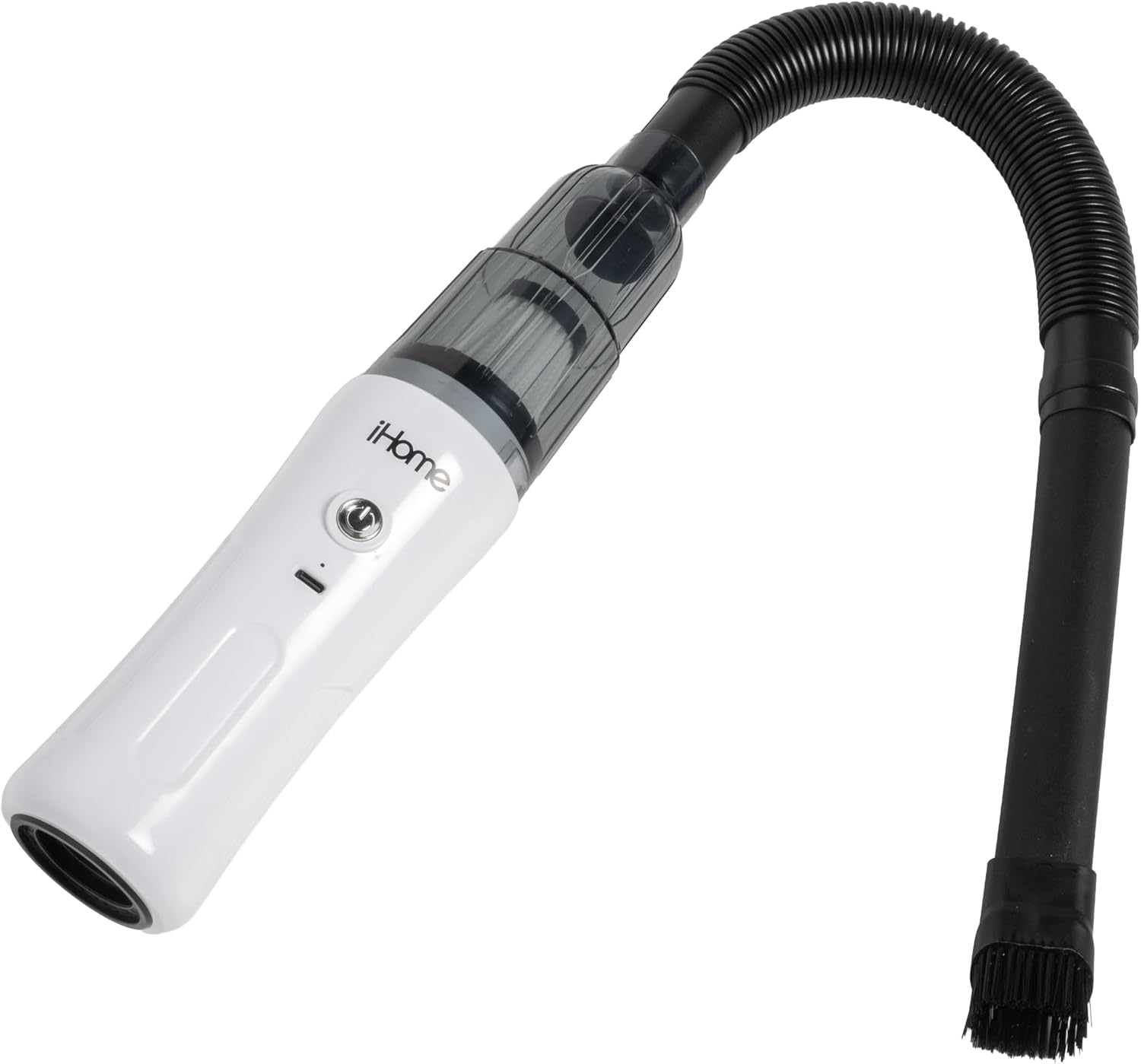
Image: iHome HandVac CV15 with extension hose and brush attached for vacuuming.
عملیاتي لارښوونې
بریښنا کول / بند کول
Press the power button located on the top of the HandVac unit to turn the device on. Press it again to turn the device off.
Using Suction (Vacuum) Mode
- Ensure the desired cleaning attachment (Crevice Tool, Crevice Tool Brush, or Extension Hose) is securely connected to the front suction port.
- Press the power button to turn on the HandVac.
- Direct the attachment towards the area to be cleaned. The HandVac delivers 6,000 Pa of suction power for effective debris removal.
- د پاکولو وروسته، د وسیله بندولو لپاره د بریښنا تڼۍ فشار ورکړئ.
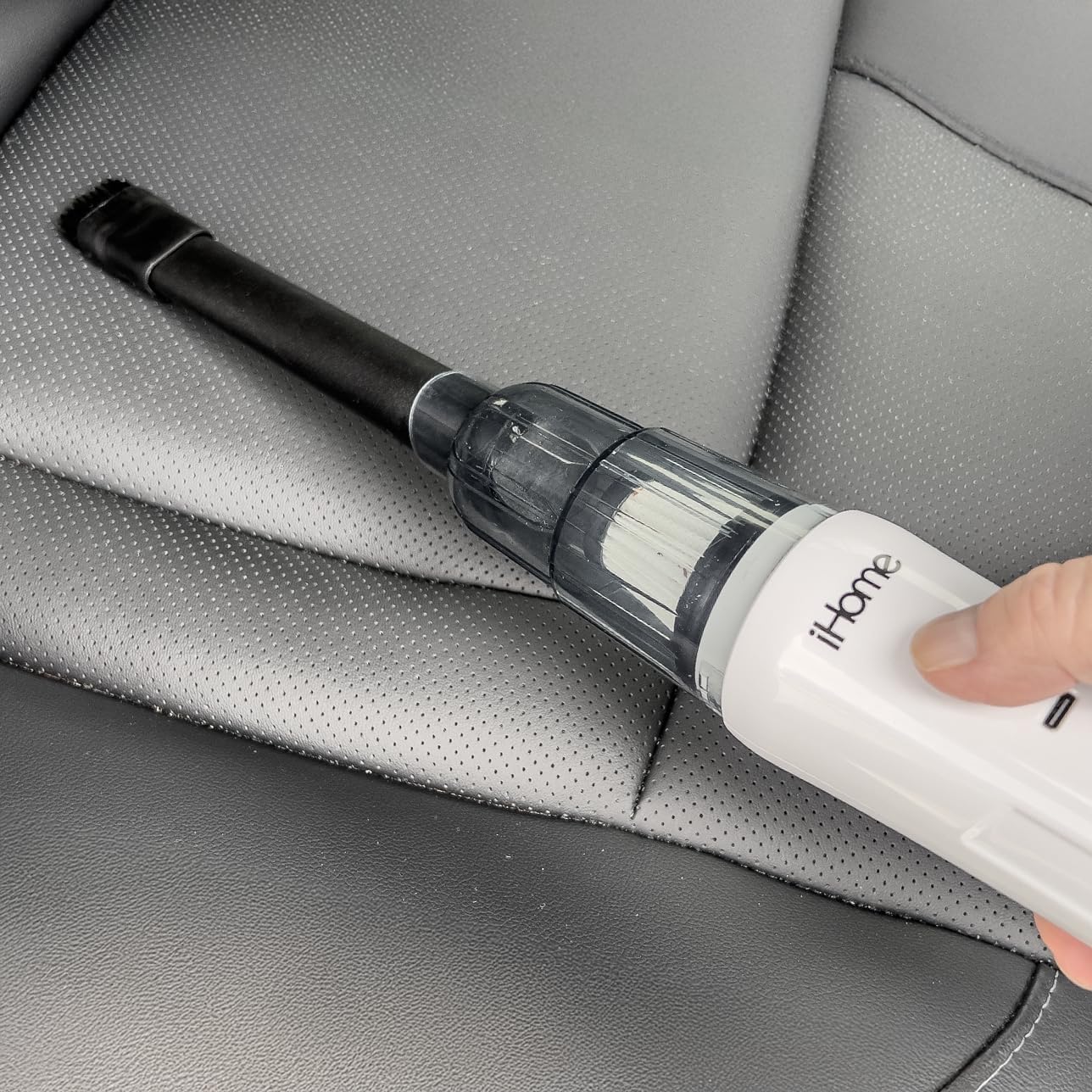
Image: Using the iHome HandVac CV15 with the crevice tool to clean a car interior.
Using Air Blow Mode
- Ensure the Blower Tool is securely connected to the rear port of the HandVac.
- Press the power button to turn on the HandVac.
- Direct the Blower Tool towards the area where you wish to blow away dust or debris.
- د کارولو وروسته، د بریښنا تڼۍ فشار ورکړئ ترڅو وسیله بنده کړئ.

Image: Rear port of the iHome HandVac CV15 for air blow function.
د ځانګړو ضمیمو کارول
- د کریس وسیله: Ideal for reaching into narrow gaps, corners, and tight spaces.
- Crevice Tool Brush: Attaches to the crevice tool to agitate stubborn dirt and dust from surfaces like upholstery or vents before vacuuming.
- د غزولو نلی: Provides extended reach and flexibility for cleaning awkward angles or areas further away from the main unit.
- Blower Tool: Used with the rear port for blowing away dust from keyboards, car vents, or other delicate items.

Image: Crevice tool brush attachment.
ساتنه
Regular maintenance ensures your iHome HandVac CV15 operates efficiently and extends its lifespan.
د دوړو کپ خالي کول
- Ensure the HandVac is turned off.
- Twist or unlatch the dust cup from the main unit.
- راټول شوي کثافات په احتیاط سره په کثافاتو کې خالي کړئ.
- Reattach the dust cup securely to the HandVac.
د HEPA فلټر پاکول
The HandVac CV15 uses a HEPA filter, which should be cleaned regularly to maintain suction power.
- Ensure the HandVac is turned off and the dust cup is removed.
- Carefully remove the HEPA filter from the dust cup.
- فلټر په نرمۍ سره د کثافاتو په ډنډ باندې ټایپ کړئ ترڅو خلاصې دوړې او کثافات لرې کړئ.
- If necessary, rinse the filter under cool running water. صابون یا ګرمې اوبه مه کاروئ.
- Allow the filter to air dry completely for at least 24 hours before reinserting it into the dust cup. د لوند فلټر سره ویکیوم مه کاروئ.
- Once dry, place the filter back into the dust cup and reattach the dust cup to the HandVac.
د ستونزو حل کول
If you encounter issues with your iHome HandVac CV15, refer to the following common problems and solutions:
| ستونزه | احتمالي لامل | د حل لاره |
|---|---|---|
| برېښنا نشته / نه چالانېږي | بیټرۍ ختمه شوې. | Charge the HandVac fully using the provided USB cable and a 5V-1A adapter. |
| د کم سکشن ځواک | Dust cup is full. Filter is clogged. Obstruction in nozzle/hose. | Empty the dust cup. Clean the HEPA filter. Check for and remove any blockages in the attachments or suction port. |
| لنډ عملیاتي وخت | بیټرۍ په بشپړه توګه چارج شوې نه ده. د وخت په تیریدو سره د بیټرۍ تخریب. | Ensure the device is fully charged before use. If the issue persists after full charge, battery life may be reduced due to normal wear. |
| Air blow function is weak | Blower tool not properly attached. Rear port obstructed. | Ensure the Blower Tool is securely attached to the rear port. Check the rear port for any obstructions. |
مشخصات
- د موډل نوم: Handvac Cordless 2-in-1
- د ماډل شمیره: iHCV15-WHT
- ځانګړې ځانګړنه: Air blow or vacuum options, Cordless, Portable, Rechargeable
- د فلټر ډول: د HEPA فلټر
- د سکشن ځواک: 6,000 Pa
- د موټرو ډول: BLDC, 30,000 rpm
- د بیټرۍ ژوند (د چلولو وخت): تر 15 دقیقو پورې
- ظرفیت: 170 ملی لیتره
- د چارج کولو اړتیا: 5V - 1A adapter
- د محصول ابعاد: ۷۱"لیتر x ۲۳.۶"واټه x ۲۴.۴"هوا
- د توکي وزن: 1 پونډه
- وړاندیز شوي استعمالونه: Car, Carpet, Hard Floor, Home
- د کور دننه او بهر کارول: دننه
تضمین او ملاتړ
د تضمین توضیحات: هیڅ نه.
For further assistance or inquiries regarding your iHome HandVac CV15, please refer to the manufacturer's official website or contact their customer support channels. Keep your purchase receipt as proof of purchase.


