1. پیژندنه
This manual provides essential information for the safe and efficient operation of your HP DesignJet Z6 44-inch Large Format Plotter Printer. Please read this manual thoroughly before using the printer to ensure proper setup, usage, and maintenance. Retain this manual for future reference.
The HP DesignJet Z6 is a professional-grade large-format printer designed for high-quality output of CAD drawings, GIS maps, posters, banners, and photographic prints. It features a 6-color pigment ink system and supports various media types up to 44 inches wide.

انځور 1.1: مخکی view of the HP DesignJet Z6 44-inch Large Format Plotter Printer, showcasing its robust design and integrated media basket.
2. د خوندیتوب معلومات
د چاپګر د ټپي کیدو یا زیان څخه د مخنیوي لپاره تل لاندې خوندیتوب احتیاطي تدابیر په پام کې ونیسئ:
- Ensure the printer is placed on a stable, level surface capable of supporting its weight.
- Connect the printer to a grounded power outlet. Do not use extension cords or adapters that are not rated for the printer's power requirements.
- د عملیاتو په جریان کې لاسونه او خلاصې جامې د حرکت کونکو برخو څخه لرې وساتئ.
- Do not attempt to open or service internal components unless specifically instructed by this manual or authorized service personnel.
- د غوره فعالیت ډاډ ترلاسه کولو او د زیان مخنیوي لپاره یوازې اصلي HP رنګ کارتوسونه او رسنۍ وکاروئ.
- پرنټر د اوبو یا ډیر رطوبت څخه لرې وساتئ.
- د پاکولو یا کوم ساتنې ترسره کولو دمخه پرنټر د بریښنا له سایټ څخه خلاص کړئ.
3. ترتیب کول
3.1 پاکول او ځای پرځای کول
Carefully remove the printer from its packaging. Retain all packaging materials for potential future transport. Place the printer in its intended location, ensuring adequate space around it for ventilation and access for media loading and maintenance.
3.2 د بریښنا نښلول
Connect the power cord to the printer's power inlet and then to a grounded electrical outlet. Do not power on the printer until all initial setup steps are complete.
۳.۳ د رنګ کارتوس لومړنی نصب کول
- د رنګ کارتریج لاسرسی دروازه پرانیزئ.
- Unpack each ink cartridge.
- هر کارتریج د هغې اړوند رنګ کوډ شوي سلاټ کې دننه کړئ تر هغه چې دا په خپل ځای کې کلیک وکړي.
- د رنګ کارتریج د لاسرسي دروازه وتړئ.
3.4 Media Loading (Rolls)
The DesignJet Z6 supports dual rolls for continuous printing. Follow these steps to load a media roll:
- Ensure the media basket is in the open position.
- د رول پوښ خلاص کړئ.
- Insert the media roll onto the spindle, ensuring the media feeds from the top.
- Slide the spindle with the media roll into the designated roll slot (Roll 1 or Roll 2).
- Feed the leading edge of the media into the printer until it is detected.
- د رول پوښ وتړئ.
- The printer will automatically align and trim the media.

Image 3.1: A user loading a media roll onto the spindle, preparing it for insertion into the printer.

Image 3.2: A user adjusting the media roll after insertion, ensuring proper alignment within the printer's roll feeder.
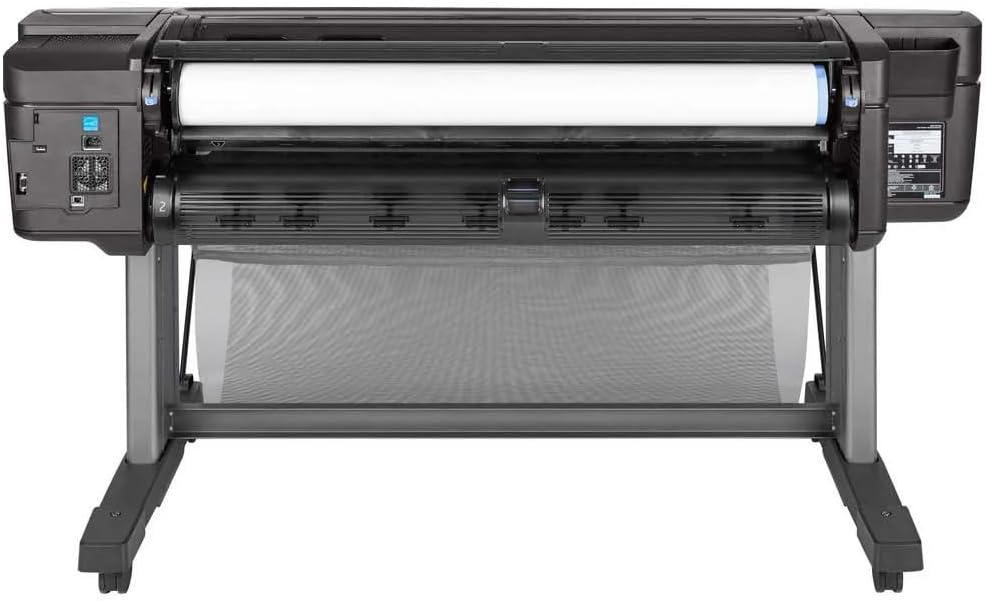
انځور ۲: پورته څخه ښکته view of the printer's media loading bay, illustrating the dual roll capacity and feed mechanism.
۲.۳ د شبکې او USB اتصال
The printer supports Gigabit Ethernet and USB connectivity. Connect the appropriate cable to the printer and your network or computer. For network setup, follow the on-screen prompts on the printer's control panel to configure network settings (IP address, etc.).
3.6 د ډرایور نصب کول
Install the latest printer drivers from the official HP webسایټ (www.hp.com/support/designjetZ6) on your computer. Follow the on-screen instructions provided by the installer.
۳. د پرنټر چلول
4.1 د کنټرول پینلview
The printer features an intuitive touchscreen control panel. Use it to navigate menus, check printer status, manage print jobs, and configure settings.
4.2 Printing a Document
- ډاډ ترلاسه کړئ چې پرنټر فعال دی او ستاسو کمپیوټر یا شبکې سره وصل دی.
- هغه سند خلاص کړئ چې تاسو یې غواړئ په خپل کمپیوټر کې چاپ کړئ.
- وټاکئ File > چاپ (یا ستاسو په غوښتنلیک کې مساوي قومانده).
- Choose the HP DesignJet Z6 printer from the list of available printers.
- Adjust print settings such as paper size, media type, print quality, and color options in the printer driver properties.
- کلیک وکړئ چاپ.
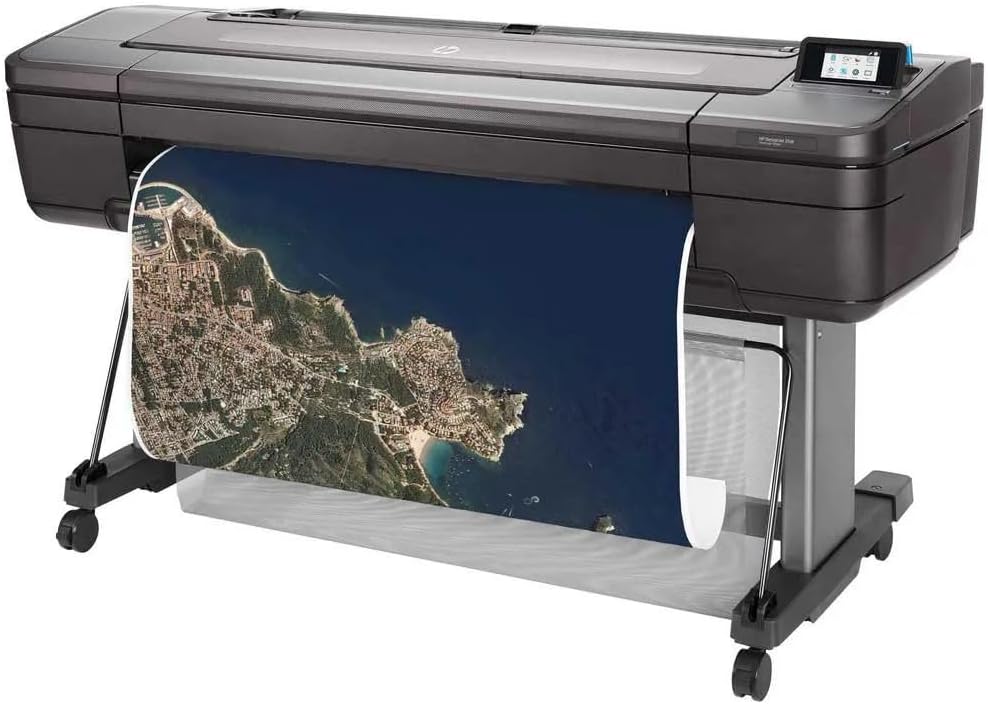
Image 4.1: The HP DesignJet Z6 printer in operation, producing a detailed large-format map print.

Image 4.2: The printer with its media output basket extended, ready to collect finished prints.
4.3 Media Handling
The printer automatically detects the loaded media type and size. Ensure the correct media profile is selected in the print driver for optimal results. The dual-roll system allows for automatic switching between rolls when one runs out or a different media type is required.
5. ساتنه
منظم ساتنه د چاپ کیفیت ثابت ساتي او ستاسو د چاپګر ژوند اوږدوي.
۳.۱ د رنګ کارتوس بدلول
When an ink cartridge is low or empty, the printer's control panel will display a notification. To replace:
- د رنګ کارتریج لاسرسی دروازه پرانیزئ.
- Press the empty cartridge to release it, then pull it out.
- Unpack a new genuine HP ink cartridge.
- نوی کارتریج په سم سلاټ کې دننه کړئ تر هغه چې کلیک وکړي.
- د لاسرسي دروازه وتړئ.
5.2 د چاپ سر ساتنه
The printer performs automatic printhead maintenance. If print quality issues arise (e.g., streaks, missing lines), you can initiate a printhead cleaning or alignment cycle from the control panel's maintenance menu.
5.3 د پاکولو طرزالعملونه
- بهر: بهرنۍ سطحې په نرمۍ سره مسح کړئ، دamp، له لینټ څخه پاک ټوکر. د کثافاتو پاکوونکي یا محلول مه کاروئ.
- Media Path: Periodically inspect the media path for dust or debris. Refer to the printer's control panel or online support for specific instructions on cleaning the media path if necessary.
5.4 د فرم ویئر تازه معلومات
Regularly check for and install firmware updates from the HP website. Firmware updates can improve performance, add features, and resolve issues.
6. ستونزه حل کول
This section addresses common issues you might encounter. For more detailed troubleshooting, refer to the HP support webسایټ
۷.۲ د چاپ کیفیت مسلې
- Streaks or Faded Colors: Check ink levels. Perform a printhead cleaning cycle from the control panel. Ensure the correct media type is selected in the print driver.
- ناسم رنګونه: Verify color settings in the print driver. Ensure you are using genuine HP ink cartridges.
- Grainy Prints: Select a higher print quality setting in the print driver. Use appropriate media for high-resolution printing.
۵.۱ د اتصال ستونزې
- Printer Not Detected: Check all cable connections (USB or Ethernet). Restart the printer and your computer/network device. Verify network settings on the printer's control panel.
- Print Jobs Not Sending: Ensure printer drivers are correctly installed and updated. Check the print queue for stalled jobs.
6.3 Media Handling Errors
- د کاغذ جامونه: Follow the on-screen instructions on the control panel to clear any jammed media. Always pull jammed media in the direction of the paper path to avoid damage.
- Media Not Loading: Ensure the roll is correctly seated on the spindle and inserted into the printer. Check that the leading edge is fed properly.
7. مشخصات
| فیچر | مشخصات |
|---|---|
| د ماډل نوم | HP DesignJet Z6 |
| د توکي ماډل شمیره | د T8W16A#B1K معرفي کول |
| د چاپ ټیکنالوژي | Inkjet (6-color pigment ink) |
| د اعظمي چاپ ریزولوشن | 2400 x 1200 مطلوب dpi |
| د رسنیو اعظمي اندازه | 44 انچه |
| ارتباط | Gigabit Ethernet, USB |
| د رنګ رنګونه | Cyan, Magenta, Yellow, Black (plus additional colors for 6-color system) |
| هارډ ډرایو | 500GB self-encrypting |
| د رسنیو ملاتړ شوي ډولونه | Glossy photo paper, plain paper, various large-format technical documents |
| د محصول ابعاد | 71 x 39.3 x 27.4 انچه (1803 x 998 x 695 mm) |
| ځانګړي ځانګړتیاوې | Energy Star certified, PostScript 3, native PDF support, dual-roll support |
8. تضمین او ملاتړ
8.1 د تضمین معلومات
This product is a Certified Amazon Renewed Product and comes with the Amazon Renewed Guarantee. For specific warranty terms and conditions, please refer to the documentation provided with your purchase or visit the Amazon Renewed program details page.
For new products, HP typically offers a limited warranty. Please refer to the official HP website or your product documentation for the most current warranty information.
8.2 تخنیکي ملاتړ
For technical assistance, driver downloads, and additional troubleshooting resources, please visit the official HP support webسایټ:
- HP DesignJet Z6 Support Page
- You may also find helpful information on the Amazon Renewed support pages for renewed products.
When contacting support, have your printer's model number (Z6) and serial number ready. The serial number is typically located on a label on the back or side of the printer.