1. پیژندنه
This manual provides detailed instructions for the installation, operation, and maintenance of your Imou IPC-G22P 2MP WiFi IP Bullet Camera. This device is designed for reliable surveillance, offering 2-megapixel live monitoring, efficient H.265 video compression, and robust IP67 weather resistance for various environmental conditions.

Image 1.1: The Imou IPC-G22P Bullet Camera, showcasing its weather-resistant design suitable for outdoor use.

Image 1.2: The Imou IPC-G22P camera is suitable for diverse installation environments, including residential and commercial outdoor settings.
2. د خوندیتوب معلومات
مهرباني وکړئ د خوندیتوب ټولې لارښوونې په دقت سره ولولئ او تعقیب یې کړئ ترڅو وسیله ته زیان ونه رسوي یا ځان ته زیان ونه رسوي. دا لارښود د راتلونکي حوالې لپاره وساتئ.
- د بریښنا رسول: Use only the power adapter provided with the camera. Ensure the power source meets the camera's voltage اړتیاوې.
- لګول: Install the camera securely on a stable surface. Avoid placing it in areas with extreme temperatures, high humidity, or direct exposure to corrosive substances.
- د اوبو ښکاره کول: While the camera is IP67 rated for weather resistance, avoid submerging it in water or exposing it to high-pressure water jets.
- پاکول: د پاکولو دمخه بریښنا قطع کړئ. نرم او وچ ټوکر وکاروئ. مایع یا ایروسول پاکوونکي مه کاروئ.
- خدمت کول: د کیمرې د جلا کولو یا ترمیم کولو هڅه مه کوئ. ټولې خدمتونه وړ پرسونل ته راجع کړئ.
3. ترتیب کول
3.1 فزیکي نصب کول
Mount the camera in your desired location using the provided mounting hardware. Ensure the camera has a clear field of view and is within range of your Wi-Fi network or close to an Ethernet port for wired connection.
3.2 د بریښنا نښلول
Connect the power adapter to the camera's power input and then plug it into a standard electrical outlet. The camera will power on automatically.
د شبکې اتصال
The Imou IPC-G22P supports both Wi-Fi and wired LAN connectivity, offering flexibility for installation.

Image 3.1: The camera supports both wireless (2.4GHz Wi-Fi) and wired (LAN) network connections for flexible installation and stable data transmission.
- د وای فای اتصال: For wireless setup, ensure your Wi-Fi network is 2.4GHz. The camera features an upgraded 4.5dBi antenna for stronger and more stable signal reception.
- د LAN پیوستون: For a more stable and reliable connection, connect an Ethernet cable from your router to the camera's LAN port.
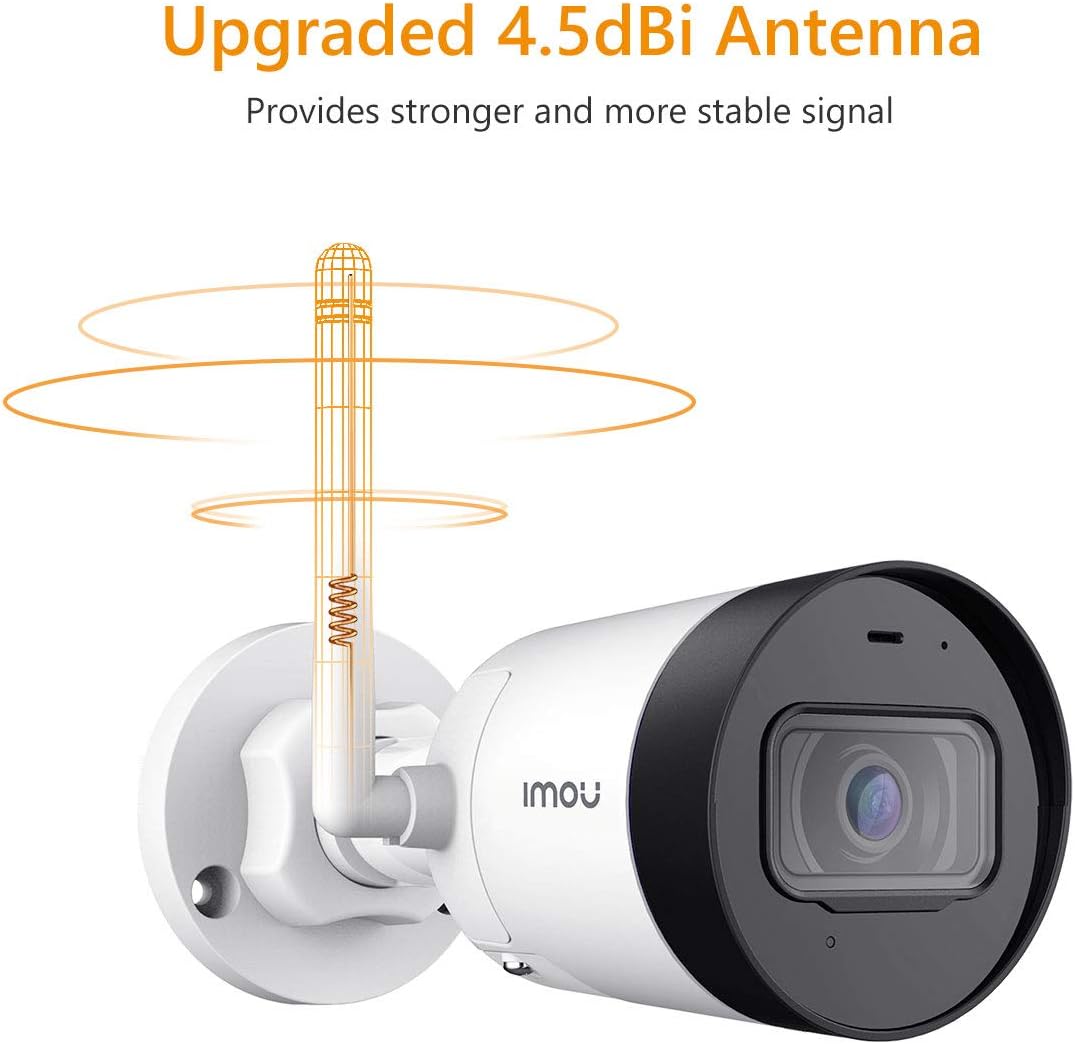
Image 3.2: The camera's 4.5dBi antenna enhances Wi-Fi signal strength and stability.
۵.۴ د اپلیکیشن نصب او د وسیلو جوړه کول
- ډاونلوډ کړئ د ژوندون ستاسو د سمارټ فون د اپلیکیشن پلورنځي څخه اپلیکیشن (د Android او iOS لپاره شتون لري).
- یو حساب جوړ کړئ یا لاګ ان شئ که تاسو دمخه یو حساب لرئ.
- Follow the in-app instructions to add your new camera. This typically involves scanning a QR code on the camera or manually entering its serial number.
- Complete the network configuration within the app.
4. عملیاتي لارښوونې
4.1 ژوندی View او ثبتول
Once connected, you can access the live video feed from your camera via the Imou Life app. The camera provides 2-megapixel resolution and utilizes H.265 compression to optimize bandwidth and storage usage while maintaining video quality.
۵.۳ د حرکت کشف او خبرتیاوې
The camera is equipped with motion detection capabilities. When movement is detected, the camera can send instant alerts to your smartphone, allowing you to monitor activity in real-time.

Image 4.1: The Imou camera provides instant alerts to your smartphone upon detecting movement, enhancing security monitoring.
۵.۱ د غږ څارنه
The built-in microphone allows you to listen to audio from the camera's vicinity through the Imou Life app.

Image 4.2: The camera includes a built-in microphone for audio monitoring of the surveillance area.
4.4 د شپې لید
The camera features integrated night vision functionality, providing clear video monitoring even in low-light or complete darkness conditions.
4.5 د ذخیرې مدیریت
The Imou IPC-G22P offers multiple options for video storage:
- د مایکرو SD کارت: Supports local storage on a Micro SD card, up to 128GB.
- امو کلاوډ: Cloud storage service for secure, remote access to your recordings.
- NVR (د شبکې ویډیو ریکارډر): Compatible with NVR systems for continuous recording and centralized management.

Image 4.3: The camera provides flexible storage solutions including Micro SD card, Imou Cloud, and NVR compatibility.
5. ساتنه
5.1 پاکول
To maintain optimal performance, periodically clean the camera lens and housing. Use a soft, lint-free cloth. For stubborn dirt, slightly dampټوکر د اوبو سره. د کثافاتو پاکوونکو یا محلولونو څخه ډډه وکړئ.
5.2 د فرم ویئر تازه معلومات
Regularly check for and install firmware updates via the Imou Life app. Firmware updates often include performance improvements, new features, and security enhancements.
۶.۳ د هوا مقاومت
The Imou IPC-G22P is IP67 certified, meaning it is protected against dust ingress and can withstand immersion in water up to 1 meter for 30 minutes. This rating ensures reliable operation in various outdoor weather conditions, including rain and snow.
6. ستونزه حل کول
- ځواک نشته:
Ensure the power adapter is securely connected to both the camera and a working electrical outlet. Verify the outlet is supplying power. - No Network Connection / Frequent Disconnections:
Check your Wi-Fi signal strength at the camera's location. If using Wi-Fi, ensure the camera is within range of your 2.4GHz router. If using LAN, verify the Ethernet cable is properly connected and functional. Restart your router and the camera. - Imou Life App Issues (Slow Loading, Playback Delays):
Ensure your smartphone has a stable internet connection. Close and reopen the app. Clear the app's cache or reinstall it if issues persist. Network congestion can also affect app performance. - د انځور کیفیت مسلې:
د کیمرې لینز پاک کړئ. ډاډ ترلاسه کړئ چې د کیمرې په ساحه کې هیڅ خنډ شتون نلري view. Check network bandwidth, as low bandwidth can affect streaming quality. - Camera Heats Up During Use:
It is normal for electronic devices to generate some heat during operation. If the camera becomes excessively hot to the touch or exhibits abnormal behavior, disconnect power and contact support. - ثابت شوي لینزونه Viewزاویه:
The Imou IPC-G22P features a fixed lens. The viewing angle cannot be adjusted remotely. Ensure the camera is physically mounted at the desired angle during installation.
7. مشخصات
| فیچر | مشخصات |
|---|---|
| د ماډل نوم | Imou IPC G22PIMOU (Bullet Lite) |
| د جوړونکي شمیره | IPC-G22P |
| قرارداد | ۵ میګاپکسله |
| د ارتباط ټیکنالوژي | Wireless (Wi-Fi), Wired (LAN) |
| د وای فای فریکونسی | 2.4 GHz |
| د کور دننه / بهر کارول | Outdoor (IP67 certified) |
| ځانګړي ځانګړتیاوې | Night Vision, Motion Detection, Built-in Microphone |
| مطابقت لرونکې وسیلې | سمارټ فون، ټابلیټ |
| د بریښنا سرچینه | د بریښنا تار شوی |
| د محصول ابعاد | 8.5 x 7 x 16.5 سانتي متره |
| د توکي وزن | 260 ګرامه |
| بیټرۍ ته اړتیا ده | 1 AA batteries (for remote, not camera operation) |
| جوړونکی | امو |
8. تضمین او ملاتړ
For warranty information and technical support, please refer to the official Imou webسایټ ته مراجعه وکړئ یا خپل محلي پرچون پلورونکي سره اړیکه ونیسئ. د پیرود رسید د پیرود ثبوت په توګه وساتئ.
For further assistance, you may visit the Imou support page or contact their customer service directly.


