1. پیژندنه
The Godox X3 TTL Wireless Flash Trigger is a compact and advanced device designed to provide seamless control over your Godox flash system. Featuring an intuitive OLED touchscreen and robust functionality, the X3C model is specifically compatible with Canon cameras, offering precise light control for various photographic scenarios.
کلیدي ځانګړتیاوې:
- OLED Touchscreen: High-contrast display with rapid refresh rate, adjustable brightness, and screen locking.
- شعوري کنټرول: User-friendly interface with swipe and tap navigation, complemented by tactile buttons.
- Versatile Flash Modes: Supports TTL, Multi-flash mode, High-Speed Sync (HSS), Front Curtain Sync, and Rear Curtain Sync.
- Two-Way TCM: Instant conversion between TTL and Manual modes for flexible exposure control.
- Durable Hotshoe: Easy and secure mounting on your camera.
- چټک چارج: Built-in rechargeable lithium battery with USB-C port for fast charging and firmware updates.
- Godox Wireless X System: Advanced 2.4GHz system for reliable wireless communication.
۲. په بکس کې څه دي؟
- Godox X3C Flash Trigger x 1
- د USB-C چارج کیبل x 1
- د ذخیره کڅوړه x 1

Image: Contents of the Godox X3C package, including the trigger, charging cable, and protective bag.
3. محصول ختم شوview
Familiarize yourself with the components and controls of your Godox X3C Flash Trigger.

Image: Detailed diagram of the Godox X3C with labels for its various parts, including the touchscreen, buttons, and ports.
اجزا:
- ټچ سکرین: OLED display for intuitive control.
- Select Dial: For navigating menus and adjusting values.
- د بریښنا سویچ: وسیله آن/بندوي.
- د ازموینې تڼۍ: د ټیسټ فلش پیل کوي.
- USB-C Charging/Firmware Upgrading Port: For power and updates.
- Installing/Detaching Button: Releases the trigger from the hotshoe.
- د نصب کولو سلاټ: Connects to the camera's hotshoe.
- Hot Shoe Camera Connection: Electrical contacts for camera communication.
۵. تنظیم او اساسي عملیات
4.1 Mounting and Powering On
- Slide the X3C onto your Canon camera's hotshoe until it clicks into place.
- Long press the Power Switch on the side of the X3C to turn it on. The Godox logo will appear, followed by the main control interface.
- If prompted, select your preferred language (e.g., English) using the touchscreen.
۴.۲ د ټچ سکرین انٹرفیس نیویګیټ کول
The X3C features a high-definition OLED touchscreen for intuitive control. You can adjust settings by swiping, tapping, or using the physical select dial.

Image: A finger interacting with the X3C's touchscreen to change flash power settings.
Adjusting Output Power:
- From the main display, swipe left or right on a group's power value to quickly adjust it.
- Tap a group to enter single-group control. Here, you can precisely adjust the power level using the +/- buttons or by swiping.
- To adjust multiple groups simultaneously, use the +/- buttons at the bottom of the multi-group display. Note that this only works if all groups are within adjustable range.
د ګروپ انتخاب:
- Tap the group letter (A, B, C, etc.) to open the group selection keypad.
- Select groups from A to F or 0 to 9, depending on your flash setup.
Switching Modes (M/TTL):
- In single-group control, tap the 'M' or 'TTL' button to switch between Manual and TTL modes.
ماډلینګ Lamp ترتیب:
- In single-group control, tap the modeling lamp icon to turn it ON/OFF.
- د ماډلینګ تنظیم کولamp brightness by tapping or sliding the control bar.
د سکرین بندولو فعالیت:
- Tap the lock icon to lock the screen and prevent accidental touches.
- Press and hold the lock icon for 2 seconds to unlock. Alternatively, press the power switch to lock/unlock.
Buzz Function:
- From the main menu (swipe down from top), tap the speaker icon to turn the buzz function ON/OFF.
5. Advanced Operation and Custom Functions
Access custom functions by swiping down from the top of the screen and tapping 'Setting'.
5.1 Multi Flash Setting:
- From the main menu, tap 'Multi' to enter Multi Flash Setting.
- Adjust the number of flashes ('Times') and frequency ('Hz') as needed.
- Select groups (A/B/C/D/E) for single or multi-group settings.
- Tap 'Home' to exit Multi Flash Setting.
5.2 Sync Modes:
- From the main menu, tap 'SYNC' to choose between Front Curtain Sync, High-Speed Sync (HSS), and Rear Curtain Sync.
5.3 Shooting Modes:
- From the main menu, tap 'Shoot' to select 'One-Shoot' or 'All-Shoot' mode. Note: 'All-Shoot' mode applies only to groups A-E.
5.4 Auto Off Setting:
- From the main menu, tap 'Auto Off' to toggle the function ON/OFF or set the auto-off time (e.g., 30, 60, 90 minutes).
5.5 Trigger Distance:
- From the settings menu, tap 'Trigger Dist' to select the desired triggering distance (e.g., 0-30m or 1-100m).
5.6 Min Power and Step:
- From the settings menu, tap 'Step' to set the minimum power level and step value for adjustments.
5.7 TCM (TTL to Manual Conversion):
- From the settings menu, tap 'TCM' to transform the TTL shooting value into a manual output value.
5.8 Zoom Values:
- From the settings menu, tap 'ZOOM' to choose various zoom values (e.g., Auto, 24mm, 28mm, up to 200mm).
5.9 Screen Brightness and Standby Time:
- From the settings menu, tap 'Screen' to adjust the screen brightness and standby time.
۳.۳ د ژبې انتخاب:
- From the settings menu, tap 'Language' to choose the system language.
5.11 Reset to Factory Settings:
- From the settings menu, tap 'Reset' to restore the device to its factory default settings. Confirm your choice when prompted.
۶.۴.۱.۱ د وسیلې معلومات:
- From the settings menu, tap 'Device Info' to check the model and firmware version of your X3C.
6. Seamless Connection and Triggering Flashes
The Godox X3C utilizes the advanced 2.4GHz Godox Wireless X system for reliable communication with compatible flashes.
6.1 Spare Channel Scanning:
To prevent interference, the X3C can scan for available channels.
- From the main menu, tap 'Wireless' then 'SCAN'. The X3C will display available channels (CH) and IDs.
- Select a clear channel and ID for optimal performance.
- Tap 'Wireless Sync' to synchronize with your flashes.

Image: The X3C's screen displaying the channel scanning interface to find available wireless channels.
6.2 Triggering Camera Flashes:
The X3C can trigger compatible Godox camera flashes like the V1C.
Video: A demonstration of the Godox X3C TTL Wireless Flash Trigger's operation, including mounting, interface navigation, and custom settings. This video provides a visual guide to using the X3C's touchscreen and various functions.
6.3 Triggering Outdoor/Studio Flashes:
The X3C is also capable of triggering larger Godox outdoor and studio flashes, such as the AD200 Pro II or MS300.
Video: A hands-on demonstration of the Godox X3 Trigger, showcasing its compact size, touchscreen interface, and ease of use for controlling various flash units.
7. Charging and Firmware Updates
The X3C features a built-in rechargeable lithium battery and a USB-C port for convenient charging and firmware updates.
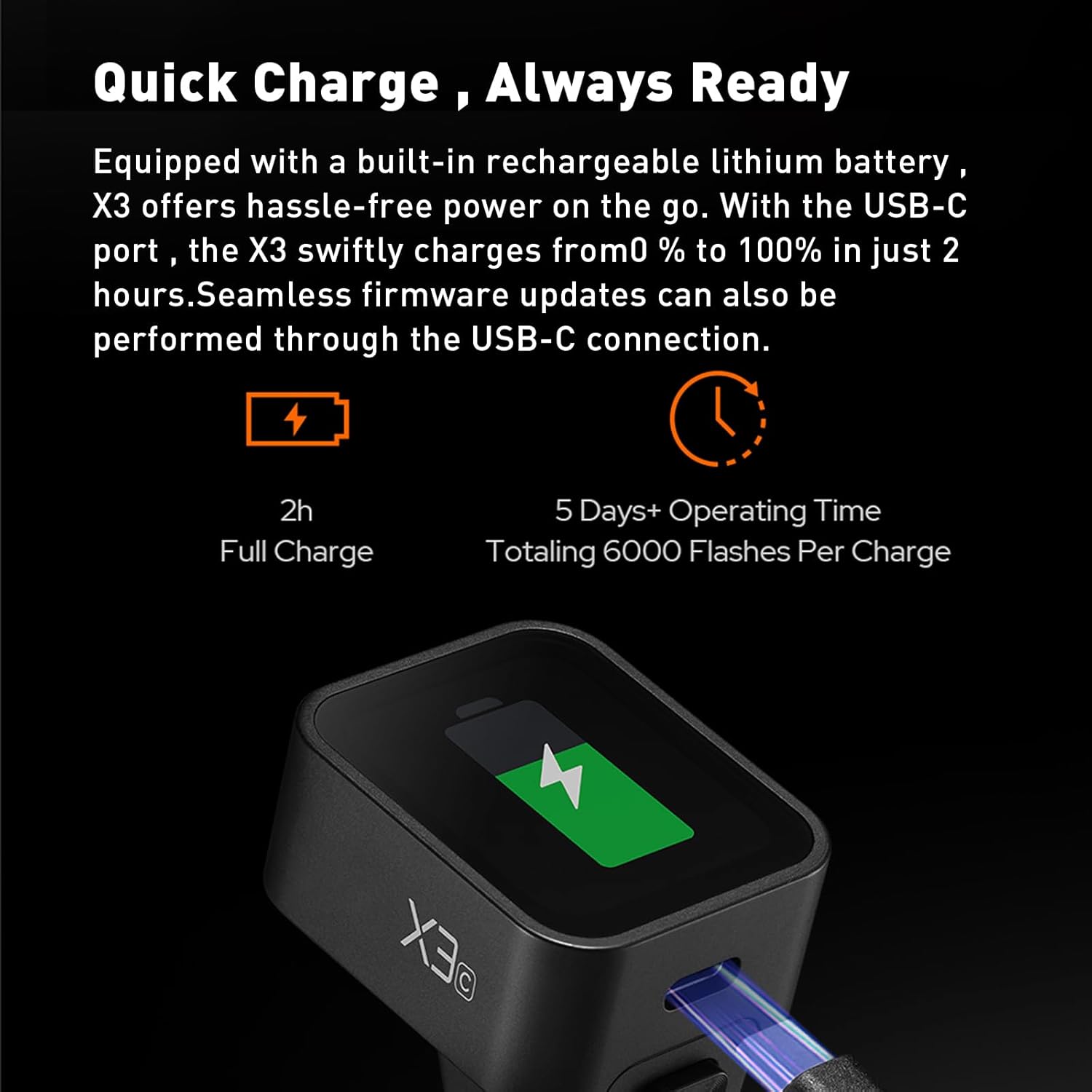
Image: The Godox X3C being charged via its USB-C port, highlighting its quick charge capability.
7.1 چارج کول:
- Connect the provided USB-C charging cable to the X3C's USB-C port and a compatible USB power source.
- The device charges from 0% to 100% in approximately 2 hours.
- A full charge provides approximately 5+ days of operating time, totaling around 6000 flashes.
۴.۱ د فرم ویئر تازه معلومات:
- Firmware updates can be performed seamlessly through the USB-C connection. Visit the official Godox webد وروستي فرم ویئر او لارښوونو لپاره سایټ.
8. مشخصات
| فیچر | مشخصات |
|---|---|
| ماډل | X3C (for Canon) |
| بې سیم سیستم | د ګوډوکس ۲.۴ جي بېسیم ایکس سیسټم |
| ښودل | د لوړ تعریف OLED ټچ سکرین |
| بیټرۍ | Built-in Rechargeable Lithium Battery (850mAh) |
| د چارج کولو بندر | USB-C |
| د چارج کولو وخت | Approx. 2 hours (0% to 100%) |
| د عملیاتو وخت | Approx. 5+ days (6000 flashes per charge) |
| ابعاد | ۷.۱۳ x ۳.۷ x ۲.۰۵ انچه (پیکج) |
| د توکي وزن | 9.2 اونس |
9. ستونزه حل کول
If you encounter issues with your Godox X3C, please refer to the following common troubleshooting steps:
- Trigger not powering on: Ensure the battery is charged. Connect to a USB-C power source.
- Flashes not triggering: Verify that the X3C and your flashes are set to the same channel and ID. Check flash battery levels. Ensure flashes are in receiver mode.
- Interference issues: Use the 'Spare Channel Scanning' function to find a clear channel and ID.
- د ټچ سکرین بې ځوابه: Try locking and unlocking the screen. If the issue persists, power cycle the device.
- ناسم افشا کول: Check flash power settings, camera settings (ISO, aperture, shutter speed), and ensure TTL/Manual modes are correctly selected. Use TCM for consistent manual power.
- Firmware update failure: Ensure a stable USB-C connection and sufficient battery charge. Re-download the firmware file د رسمي ګوډوکس څخه webسایټ
10. ساتنه
To ensure the longevity and optimal performance of your Godox X3C, follow these maintenance guidelines:
- پاکول: Use a soft, dry cloth to clean the exterior of the trigger. For the touchscreen, use a microfiber cloth. Avoid harsh chemicals or abrasive materials.
- ذخیره کول: Store the trigger in its protective bag when not in use, away from extreme temperatures, humidity, and direct sunlight.
- د بیټرۍ پاملرنه: Charge the battery regularly, even if not in frequent use, to maintain battery health. Avoid fully discharging the battery for extended periods.
- Hotshoe Protection: Keep the hotshoe contacts clean and free from debris. Use a hotshoe cover when the trigger is not mounted on a camera.
11. د خوندیتوب معلومات
Please read and follow all safety instructions to prevent damage to the product or injury to yourself:
- وسیله مه جلا کوئ یا یې مه بدلوئ. ترمیمونه باید یوازې د مجاز خدماتو پرسونل لخوا ترسره شي.
- وسیله د اوبو او رطوبت څخه لرې وساتئ.
- د اور اخیستونکو ګازونو یا مایعاتو په شتون کې کار مه کوئ.
- د قوي تاثیراتو سره د وسیله له مینځه وړلو یا تابع کولو څخه ډډه وکړئ.
- یوازې ټاکل شوي چارجینګ کیبل او د بریښنا سرچینې وکاروئ.
12. تضمین او ملاتړ
Godox products are covered by a limited warranty. For specific warranty terms and conditions, please refer to the warranty card included with your product or visit the official Godox website. For technical support, service, or inquiries, please contact Godox customer service or your local distributor.
Protection plans are available for purchase separately to extend coverage beyond the standard warranty period. Please check with your retailer for details on available protection plans.


